AI Disclosure Requirement (DR) Checker
The AI Disclosure Requirement (DR) Checker is an intelligent, automated tool integrated directly into every Disclosure Requirement within the platform. It helps ensure your sustainability reports are accurate, legally compliant, and audit-ready by analyzing your text and data to identify critical disclosure gaps, inconsistencies, and formatting issues.
Rather than acting as a simple grammar or spell-checker, the AI DR Checker maps your drafted content directly against the official European Sustainability Reporting Standards, functioning like a “pre-audit” assistant.
Key Features
Section titled “Key Features”1. Compliance Score & Readiness Level
Section titled “1. Compliance Score & Readiness Level”Every time you run the checker, the AI evaluates your text to provide an overall Compliance Score. This gives project managers a high-level view of how close a specific requirement is to being finished.
2. Gap Analysis
Section titled “2. Gap Analysis”The checker goes beyond general feedback by scanning down to the level of specific standard paragraphs and sub-requirements. If your text omits a metric, context, or data point mandated by the law, the AI will call out exactly which paragraph is missing or incomplete.
3. Categorized Issue Log & Recommendations
Section titled “3. Categorized Issue Log & Recommendations”The tool automatically scans your text and groups identified problems into clear, severity-based categories. Each item provides a specific location, the exact standard reference, an explanation of the issue, and an actionable recommendation.
- 🔴 Critical Issues: Severe data omissions or major structural errors that violate core compliance rules and must be resolved before submission.
- 🟡 Major Issues: Omitted regulatory requirements or incomplete disclosures.
- ies (e.g., “Empty data point at Pablo dp”).
- ✅ Positive Observations: The AI also highlights what you did well, acknowledging sections with strong geographic details or well-developed sustainability strategy descriptions so you know when a section is successfully written.
Each flagged issue comes with actionable fix recommendations, providing clear steps on what text or metrics you need to add to resolve the warning.
4. Inconsistency & Transparency Detection
Section titled “4. Inconsistency & Transparency Detection”The AI scans your input for internal contradictions - such as a data table stating one number while the explanatory text states another. It also evaluates data transparency to ensure your disclosures are objective and free from vague “greenwashing” statements.
5. Language Clarity & Formatting Analysis
Section titled “5. Language Clarity & Formatting Analysis”The tool ensures your writing style matches the professional, formal tone required for regulatory corporate reporting while ensuring the structure aligns with standard disclosure formats.
How to Use the AI DR Checker
Section titled “How to Use the AI DR Checker”- Navigate to any Disclosure Requirement.
- Draft your text and enter your data points in the provided fields.
- Locate the AI Checker.
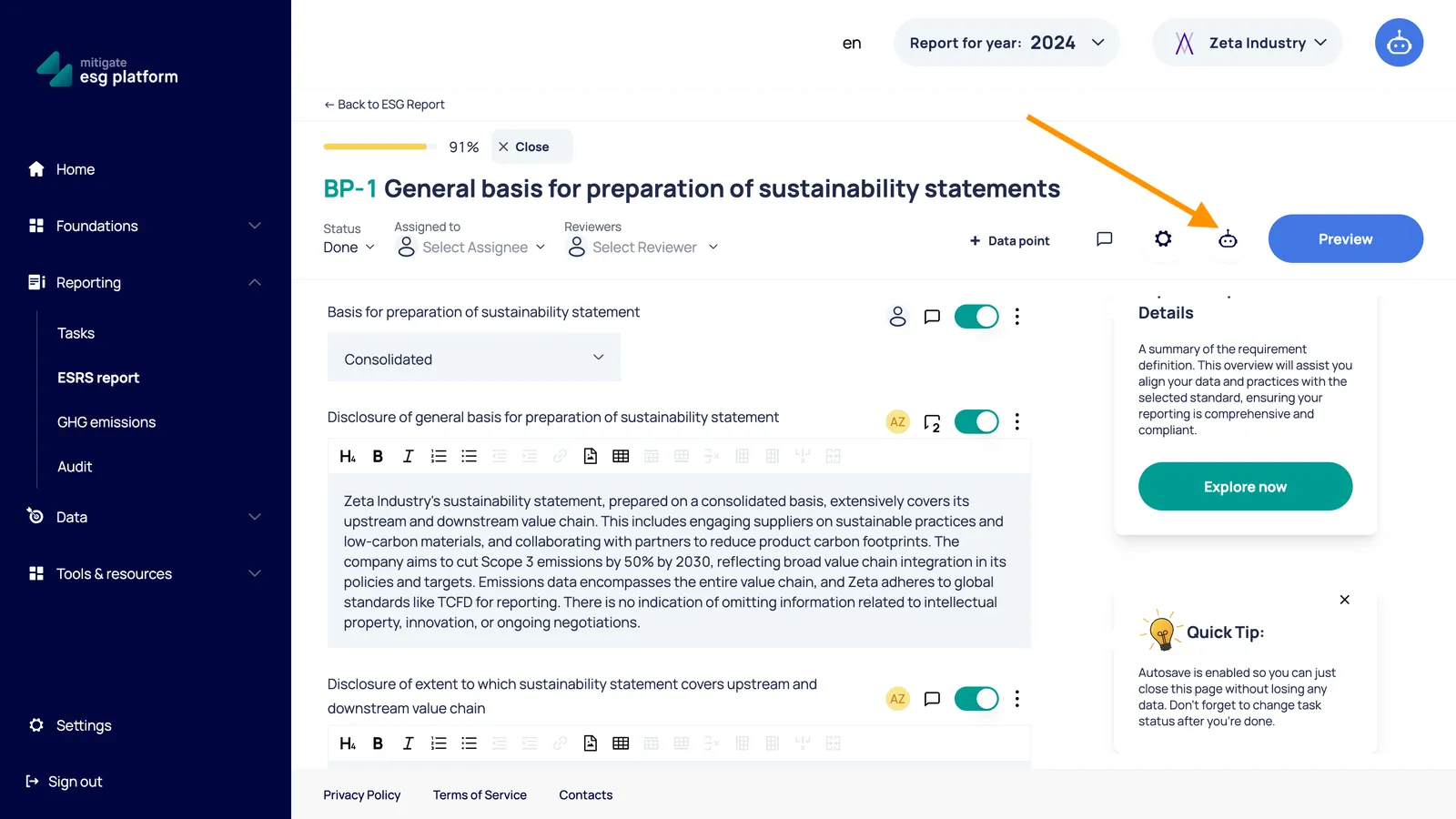
- Click Run AI Check.
- Review your Compliance Score and review the Issue List and read the specific paragraph-level recommendations.
- Make edits to your text based on the feedback, and run the checker again to watch your score increase.
Best Practices for Audit Preparation
Section titled “Best Practices for Audit Preparation”- Resolve Critical Issues First: Never send a chapter to an internal or external auditor with outstanding 🔴 Critical warnings.
- Check Internal Consistency: If you change a metric or year in your report text, rerun the AI Checker to make sure it doesn’t conflict with other statements in that disclosure requirement.
- Leverage Actionable Recommendations: Treat the AI’s feedback as a checklist. Copying the requested paragraph insights directly guides your structural units on what missing data they need to provide.