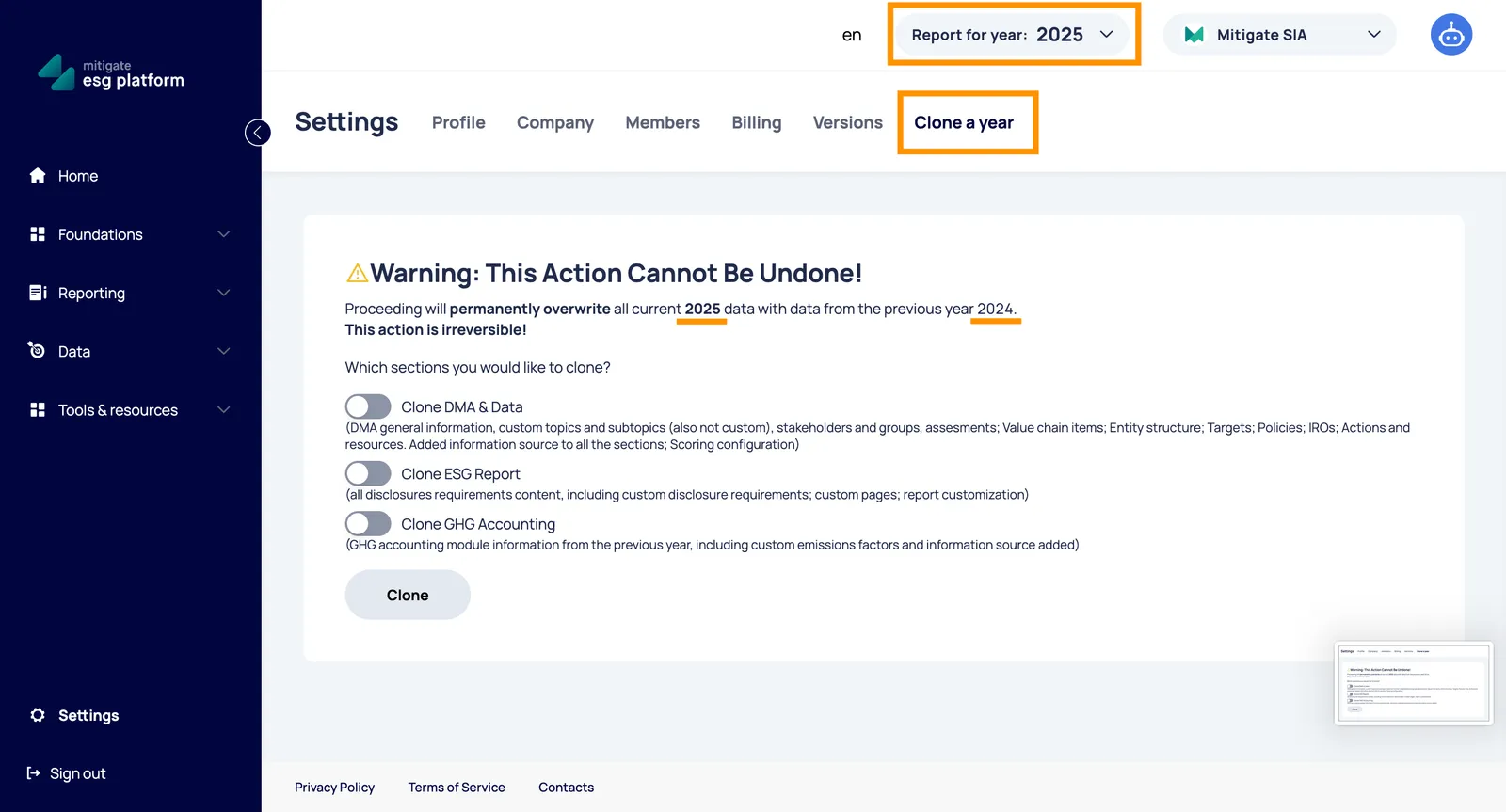
Cloning Data for a New Reporting Period
To streamline your reporting process, the platform allows you to carry over data from a previous year. This “Clone a year” feature ensures you don’t have to start from scratch, allowing you to maintain consistency across reporting periods.
Where to find it
Section titled “Where to find it”Navigate to Settings → Clone Year.
⚠️ Critical Warning
Section titled “⚠️ Critical Warning”This action cannot be undone. Proceeding will permanently overwrite all data in your current reporting year with data from the selected previous year. Before proceeding, ensure you have selected the correct source and target years.
Cloning Options
Section titled “Cloning Options”You can customize exactly what information is carried over by selecting from the following modules:
1. Clone DMA & Data
Section titled “1. Clone DMA & Data”This option copies your structural and strategic ESG data, including:
- Double Materiality (DMA): General information, stakeholders/groups, and all topic/sub-topic assessments.
- Structure: Value chain items and entity structure.
- Strategy: Targets, Policies, Actions, and Resources.
- Registry: IROs (Impacts, Risks, and Opportunities) and Scoring configurations.
- Evidence: All attached information sources across these sections.
2. Clone ESG Report
Section titled “2. Clone ESG Report”This option copies your narrative and qualitative disclosures:
- Disclosure Requirements: All content within standard and custom disclosure requirements.
- Customization: Custom pages and specific report styling/customization settings.
3. Clone GHG Accounting
Section titled “3. Clone GHG Accounting”This option carries over your environmental data:
- Emissions Data: All information from the GHG accounting module.
- Custom Factors: Any custom emission factors created.
- Evidence: Attached information sources for environmental data points.
The Workflow
Section titled “The Workflow”- Select Year: Choose the year you want to copy data to.
- Choose Sections: Check the boxes for the modules listed above.
- Review and Clone: Click the button to open the final confirmation modal.
- Confirm: Verify the summary of selected sections and confirm the permanent overwrite.