Initial Setup
You don’t need much to work with the platform.
Quick Start Video Guide
Section titled “Quick Start Video Guide”Watch this short video to get started with the platform setup. In just a few minutes, we’ll walk you through selecting your business sector, adding team members, and connecting subsidiaries or related companies if you represent a group. This setup ensures you get the most out of our platform’s features and tailored assistance.
In fact, at this point you are ready to go, but we recommend to add a few more things before you proceed:
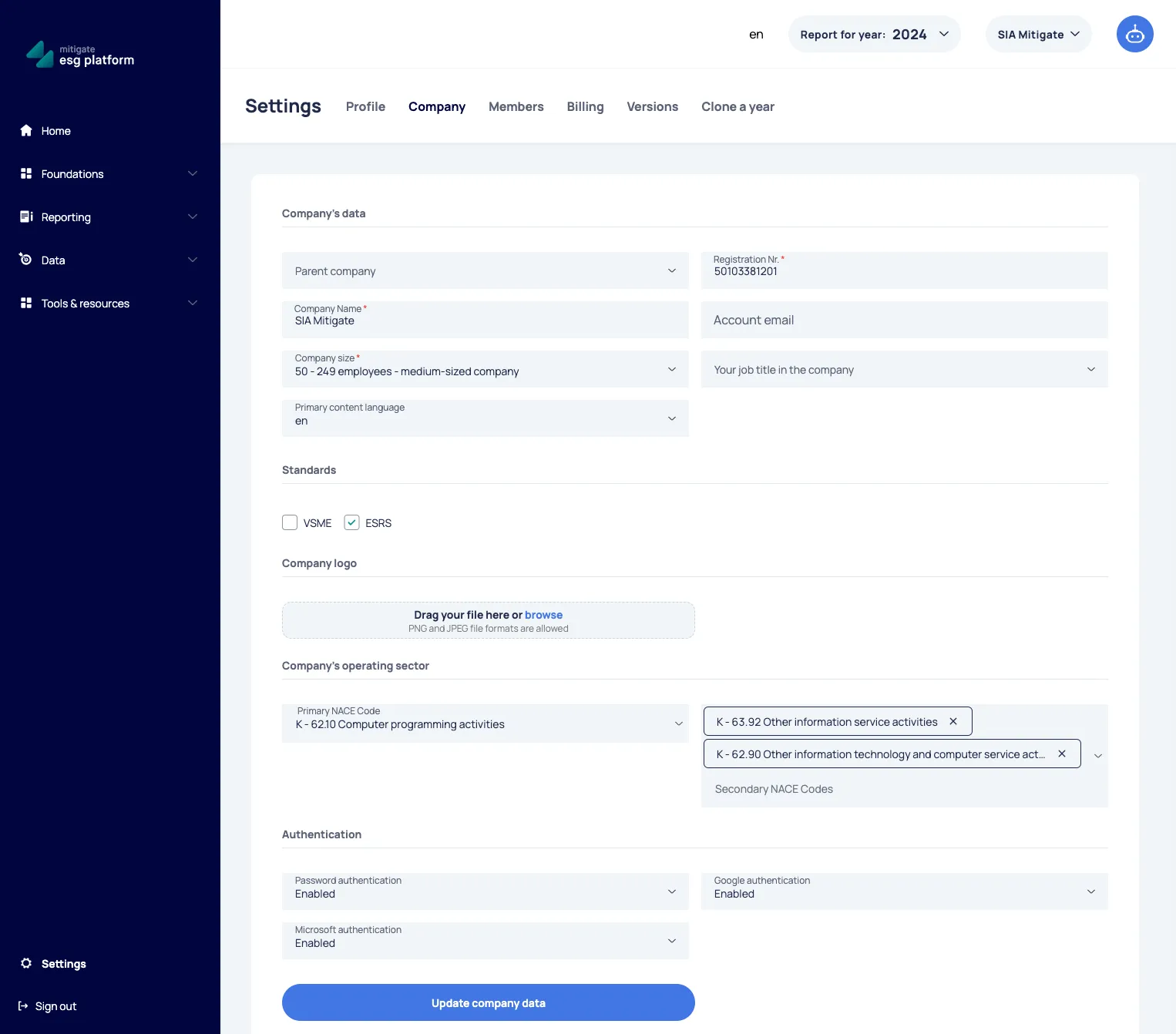
- Ensure that you have selected the company’s Primary NACE code and Secondary NACE codes. It will help the platform to assist you more appropriately in the future journey:
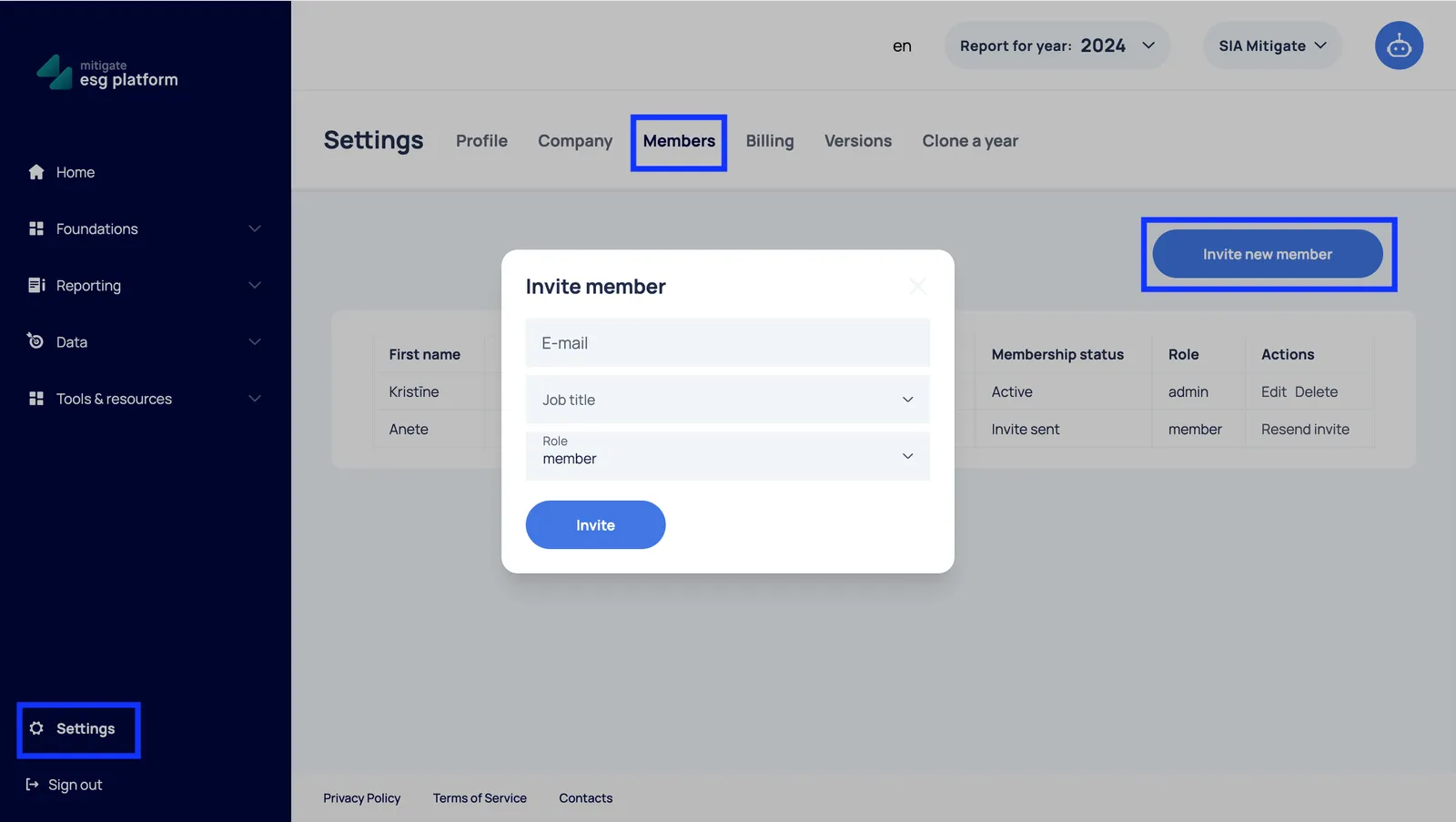
- Add your team members:
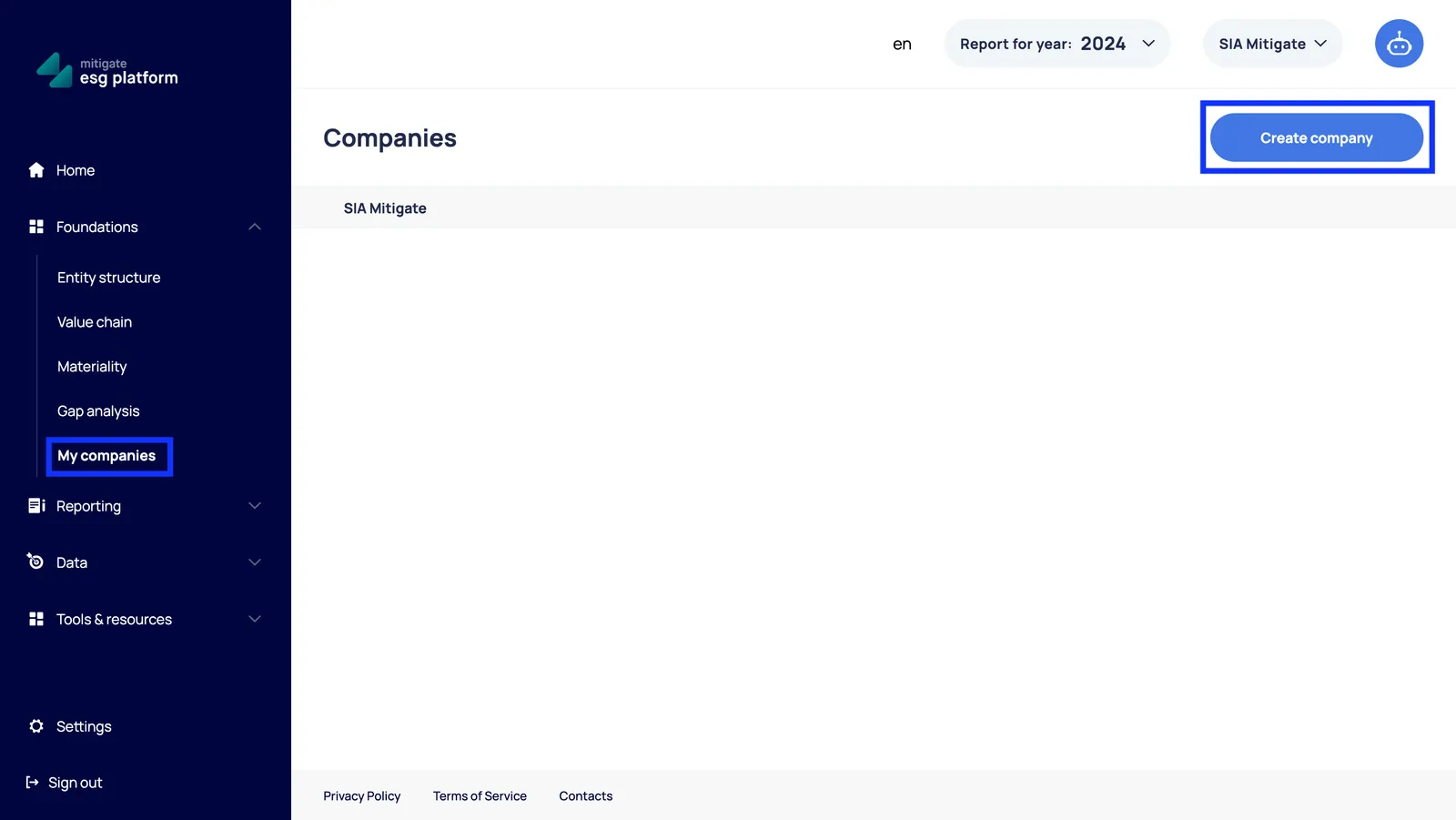
- If you represent a group or a holding company, add you subsidiaries or related companies, to share information between the entities: