CO2 Emissions Accounting
The Mitigate ESG Platform has GHG Inventory Module integrated with the Reporting Module. GHG emission calculations and results are automatically integrated in an ESG report in appropriate data points.
Content:
The Module high-level architecture
Scope 2 - Indirect Emissions from Energy Purchases
Scope 3 - Other Indirect Emissions
The Module high-level architecture:
Section titled “The Module high-level architecture:”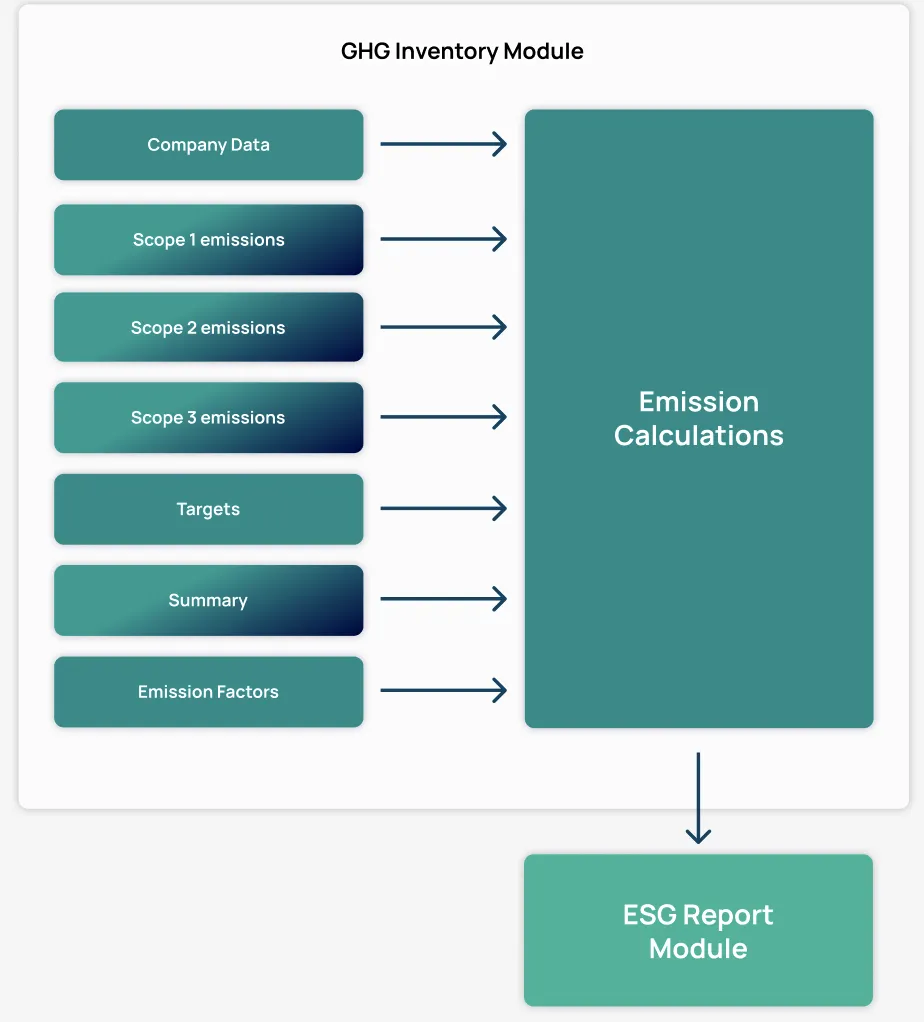
In the Platform companies can enter and manage the following information about GHG emission sources and the Platform will automatically calculate corresponding emissions.
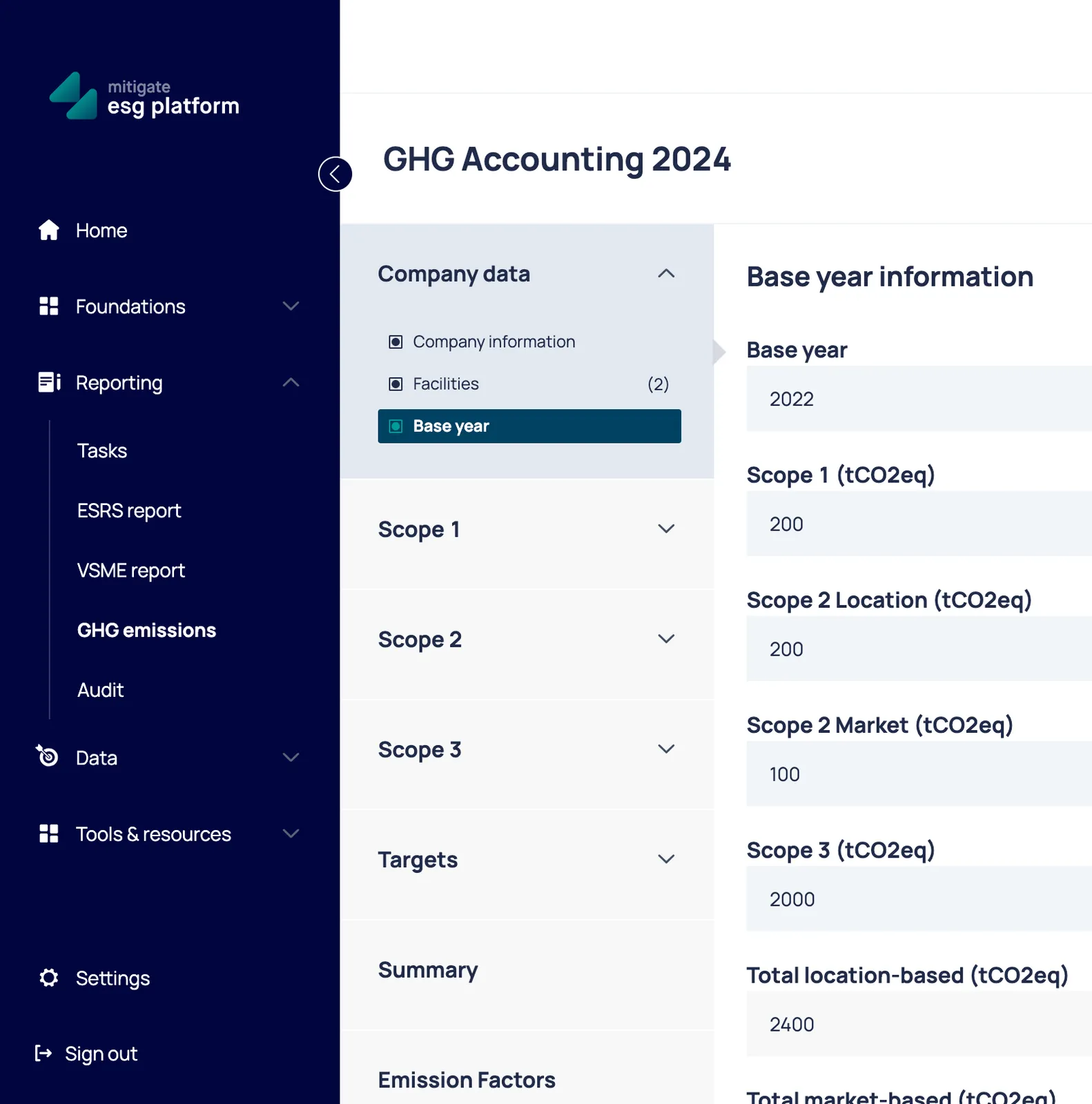
Company data configuration
Section titled “Company data configuration”Included companies in Summary and Targets - if your company is part of a group and other group entities are included in the Mitigate ESG platform as well, in this section you can select the companies to be included in the summary here.
Facilities - refer to physical locations such as offices, factories, warehouses, and plants
Base year information - is crucial for tracking and managing emissions over time. It serves as a reference point for measuring future emissions and evaluating progress toward reduction targets.
Scope 1 - Direct Emissions
Section titled “Scope 1 - Direct Emissions”- Combustion of fuels in stationary sources like heating and power generation for buildings and industrial processes.
- Combustion of fuels in mobile sources that the company owns or controls, such as cars, trucks, ships, airplanes, and construction equipment.
- Fugitive emissions which come from leaks or releases of GHGs, such as refrigerant leaks from air conditioning systems and methane leaks from pipeline systems.
- Process emissions from physical or chemical processing such as CO2 released from the calcination step in cement manufacturing, or emissions from the production of chemicals or metals.
Scope 2 - Indirect Emissions from Energy Purchases
Section titled “Scope 2 - Indirect Emissions from Energy Purchases”- Purchased Electricity Emissions from the generation of purchased electricity that is consumed by the reporting company. This includes emissions from both renewable and non-renewable sources of electricity that are part of the regional or national grid mix. Data source: Utility data (e.g., electricity bills, steam usage logs). Any renewable energy certificates (RECs) or guarantees of origin (GOs) purchased.
- Location-Based Method: This method reflects the average emissions intensity of grids on which energy consumption occurs (using regional or national averages).
- Market-Based Method: This method reflects the emissions from electricity that companies have purposefully chosen (or contracted) and can include specific claims associated with renewable energy purchases through instruments such as renewable energy certificates (RECs) or guarantees of origin (GOs). Dual reporting is particularly useful for organizations engaging in energy attribute certificate trading or specific renewable energy contracts. This approach can demonstrate the impact of an organization’s efforts to procure lower-carbon electricity beyond what is provided by the grid.
- Heat and Steam Emissions from the production of heat or steam that is purchased by the company. This can include district heating systems or external industrial processes that provide heat or steam to the organization.
Scope 3 - Other Indirect Emissions
Section titled “Scope 3 - Other Indirect Emissions”- Purchased Goods and Services Emissions from the production of goods or services that are purchased or acquired by the company in the reporting year.
- Capital Goods Emissions from the production of capital goods (e.g., machinery, equipment, buildings) used by the company.
- Fuel- and Energy-Related Activities (Not Included in Scope 1 or 2) Emissions related to the production of fuels and energy purchased and consumed by the organization that are not covered in Scope 1 or Scope 2.
- Upstream Transportation and Distribution Emissions from transportation and distribution of products in the supply chain before they arrive at the organization.
- Waste Generated in Operations Emissions from the disposal and treatment of waste generated in the operations of the company.
- Business Travel Emissions from transportation of employees for business-related activities in vehicles not owned or operated by the company.
- Employee Commuting Emissions from transportation of employees between their homes and their worksites.
- Upstream Leased Assets (Not Included in Scope 1 or 2)
Emissions from the operation of assets leased by the company but that are not included in Scope 1 or 2. 9. Downstream Transportation and Distribution Emissions from transportation and distribution of products after they are sold and leave the organization, including the end-of-life transportation of products. 10. Processing of Sold Products Emissions from the processing of intermediate products sold by the company into finished products. 11. Use of Sold Products Emissions that occur during the use-phase of goods and services sold by the company. 12. End-of-Life Treatment of Sold Products Emissions from the disposal or recycling of products once they have reached the end of their life. 13. Downstream Leased Assets Emissions from the operation of assets leased out by the company, such as vehicles or equipment. 14. Franchises (Not Included in Scope 1 or 2)
Emissions from franchise operations that are not included in Scope 1 or 2. 15. Investments Emissions related to investments made by the company, including investment in funds or financial instruments.
Emission activity input
Section titled “Emission activity input”Platform supports three types of emission input. Custom Factors (from GHG emissions → Emission Factors section), Climatiq Factors, or add Manual Emissions.
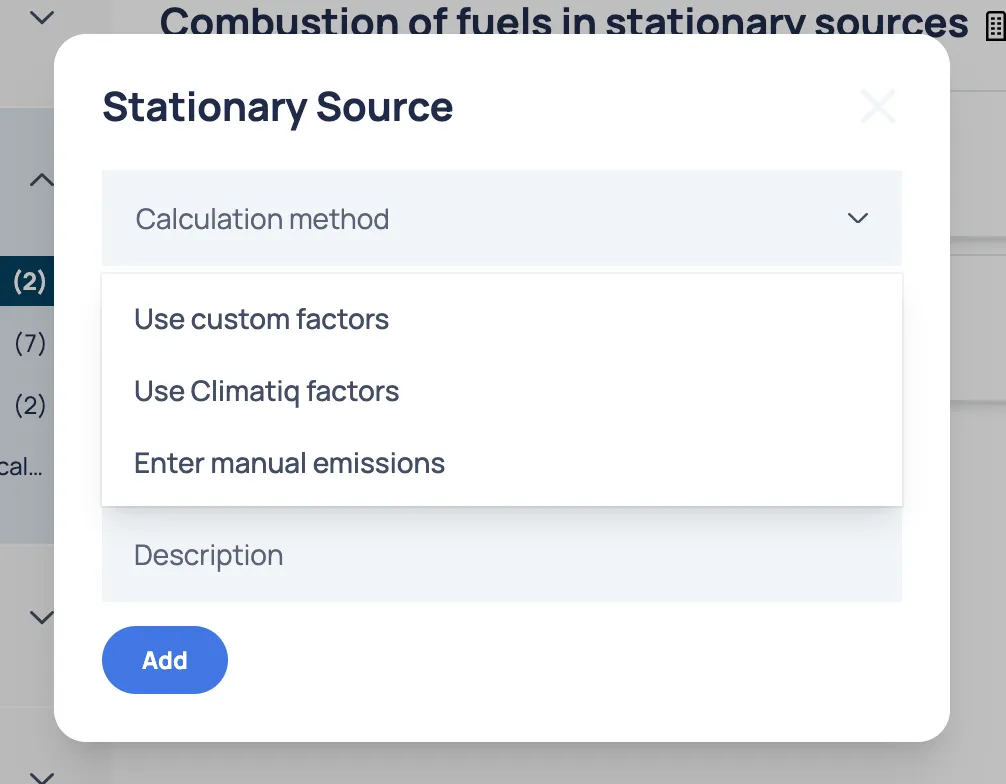
The input forms and data requirements vary depending on the Scope and its subcategories. The primary differences between subcategories are the activity type and the unit of measurement. Some examples below:
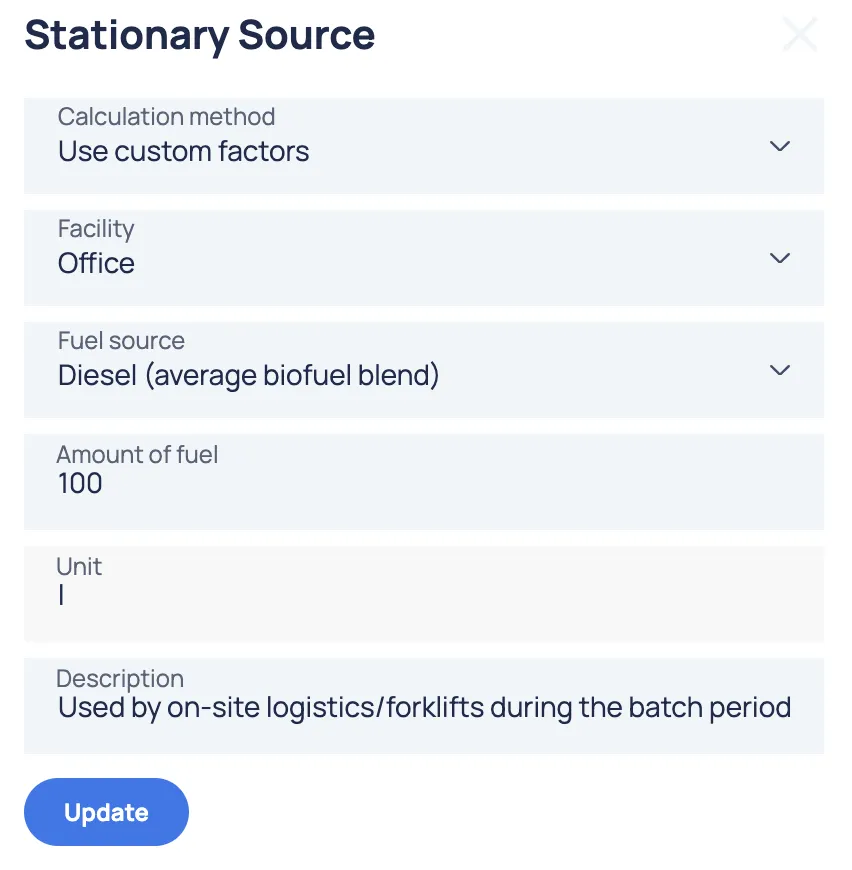
Scope 1 input data:
- Fuel consumption (e.g., liters of diesel, cubic meters of natural gas).
- Energy usage (e.g., MWh).
- Vehicle activity (e.g., distance traveled, fuel consumption).
- Emission factors based on fuel type or process.
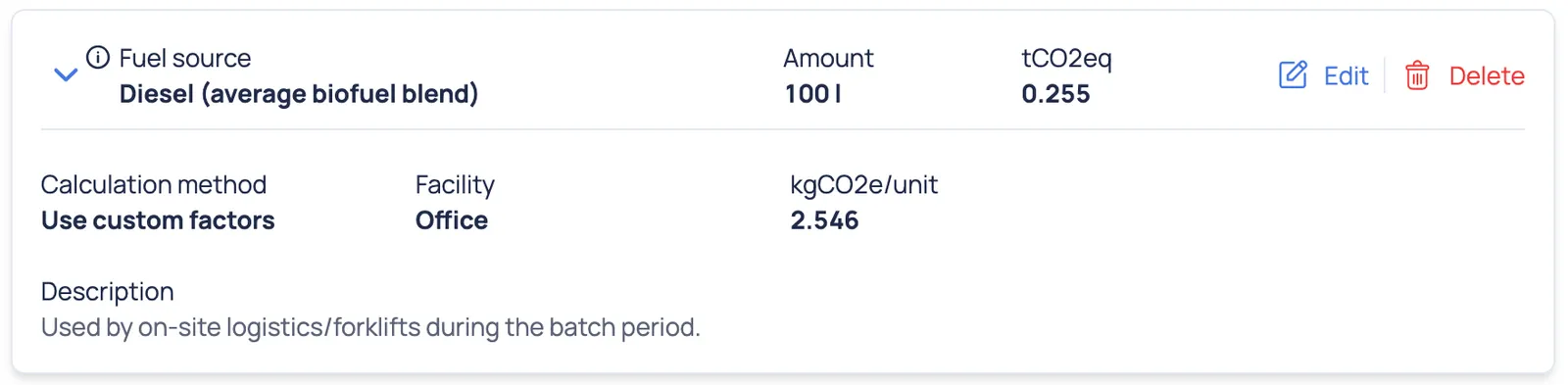
An example of a Scope 1 form with custom factors:
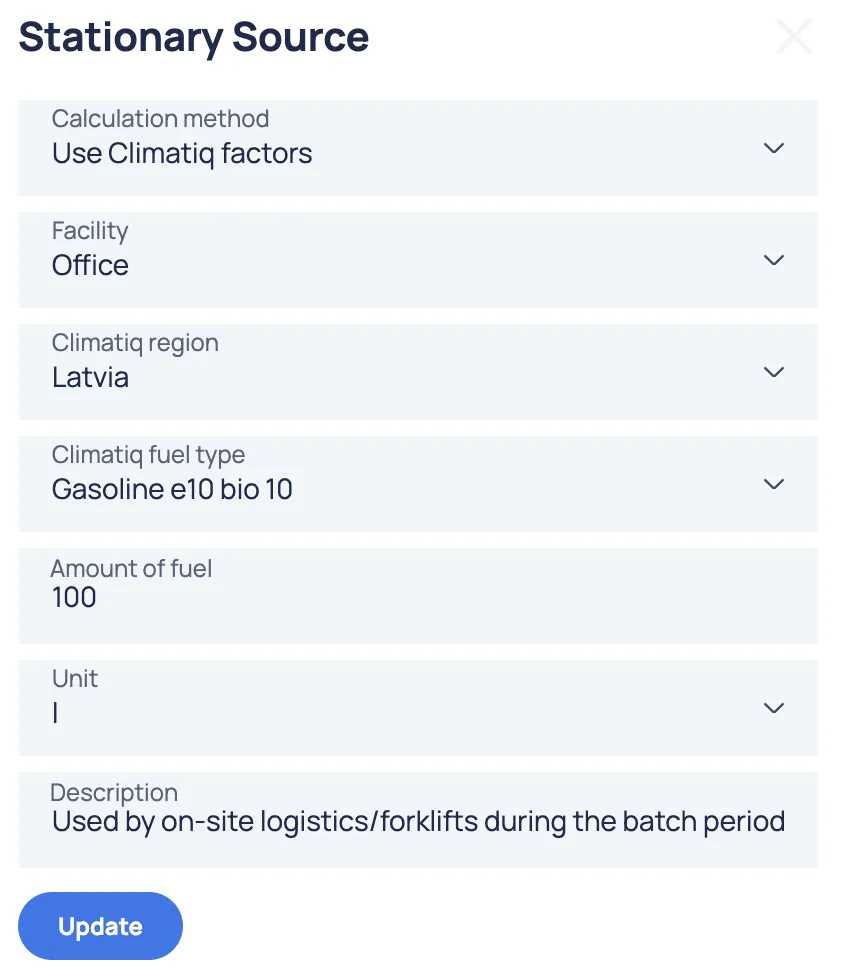
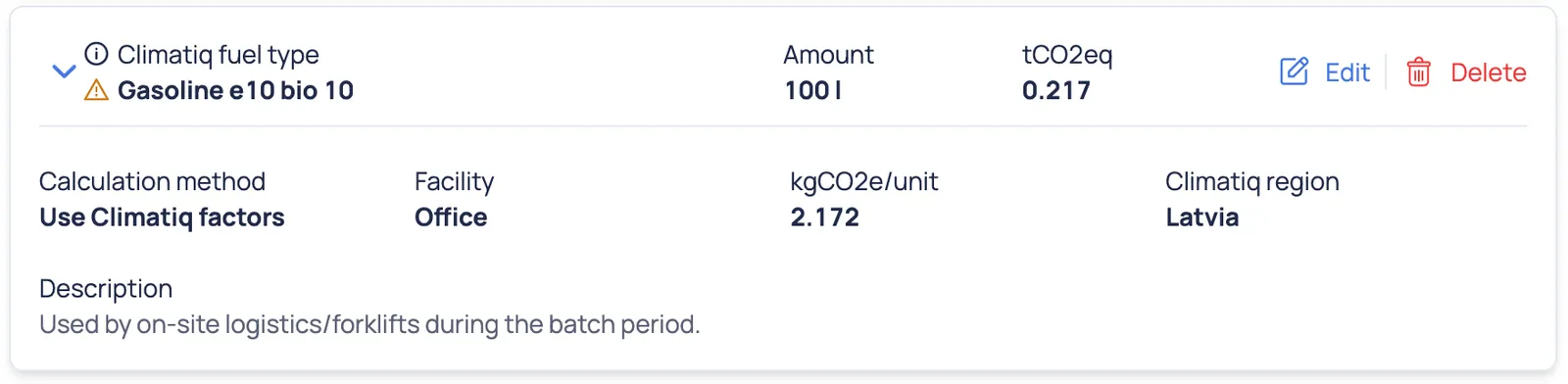
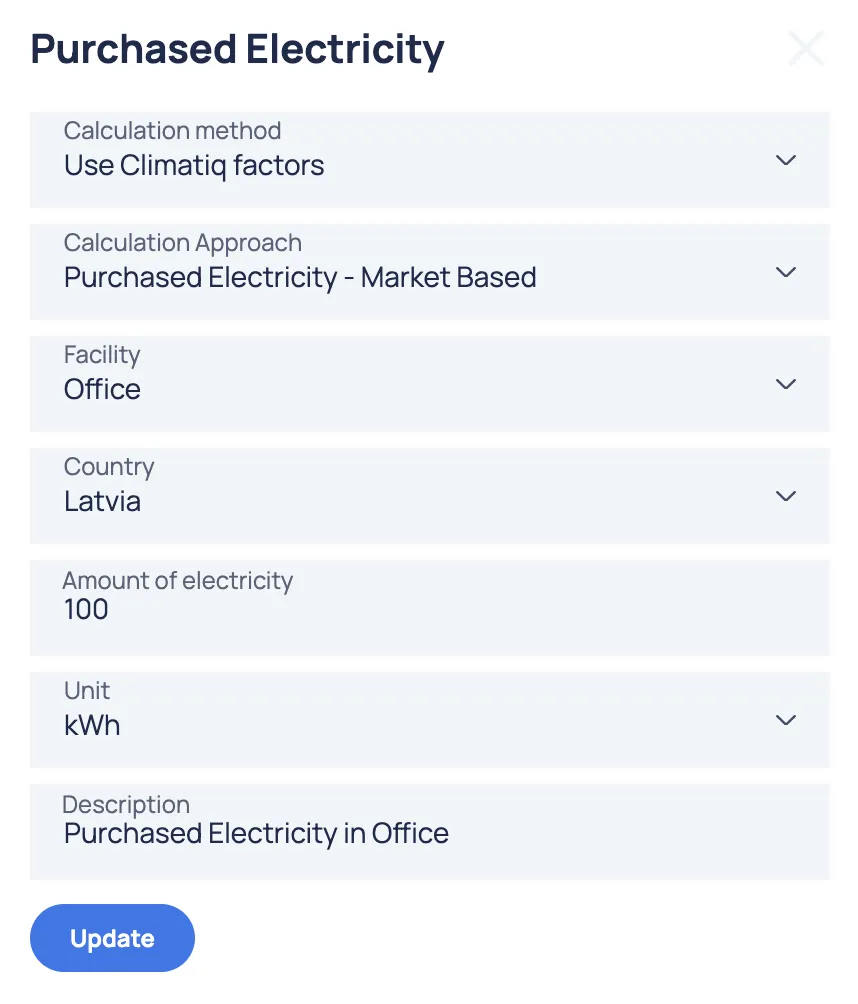
An example of a Scope 1 form with Climatiq factors:
Scope 2 input data:
- Amount of purchased energy (e.g., electricity in kWh, heating in mWh).
- Country-specific emission factors
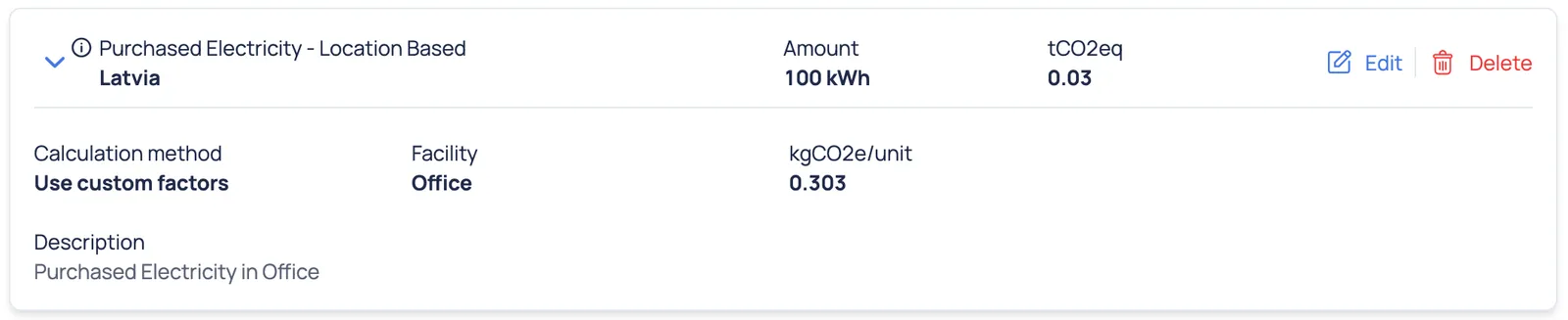
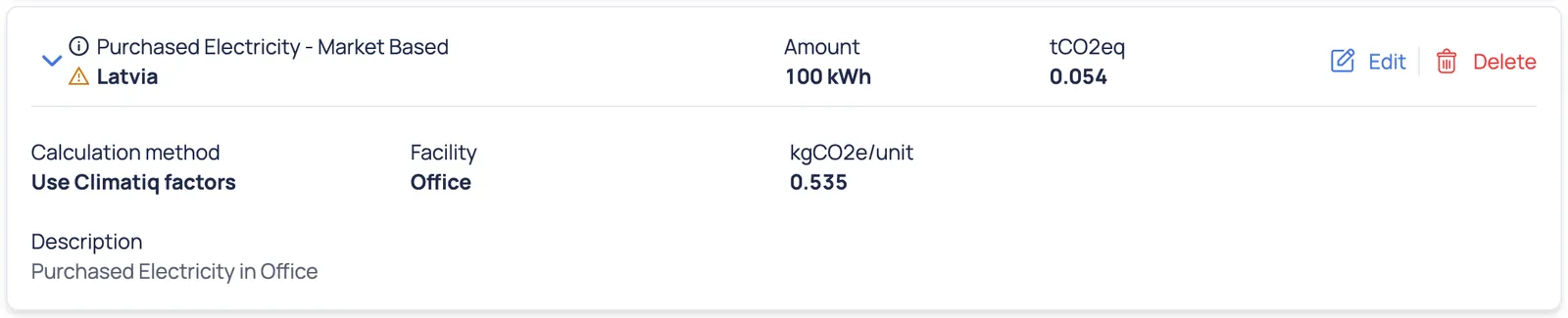
- Calculation approach (Location-Based Method or Market-Based Method)
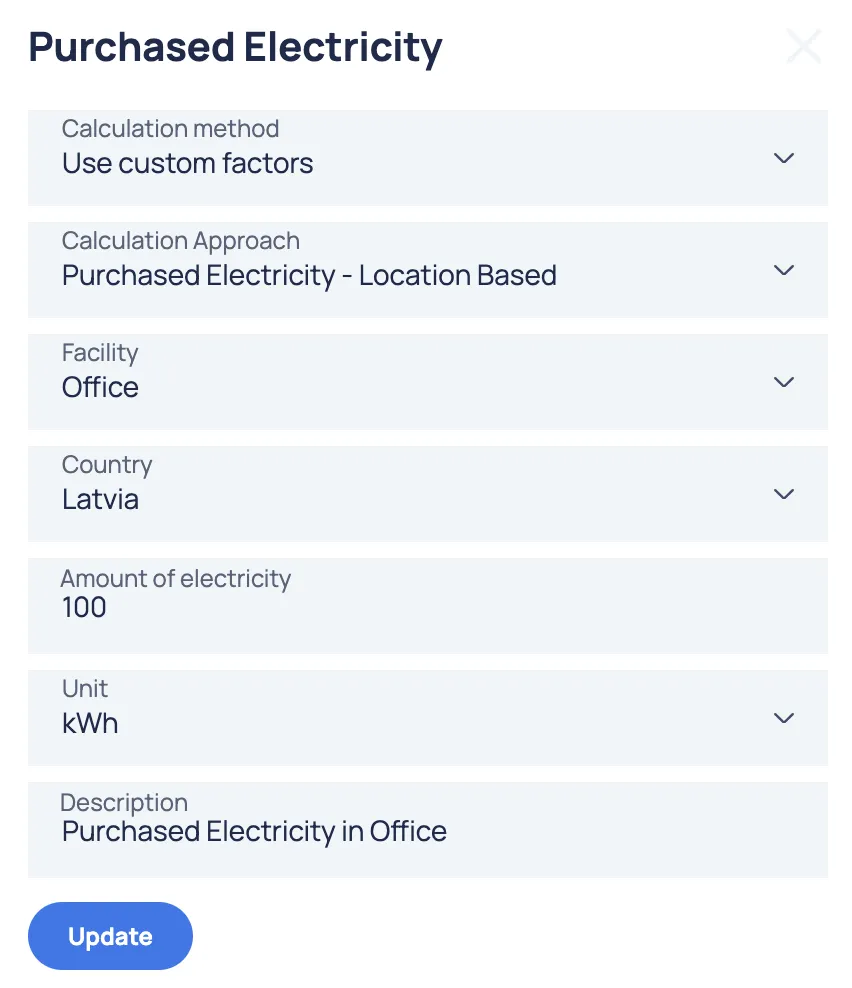
An example of a Scope 2 form with custom factors:
An example of a Scope 2 form with Climatiq factors:
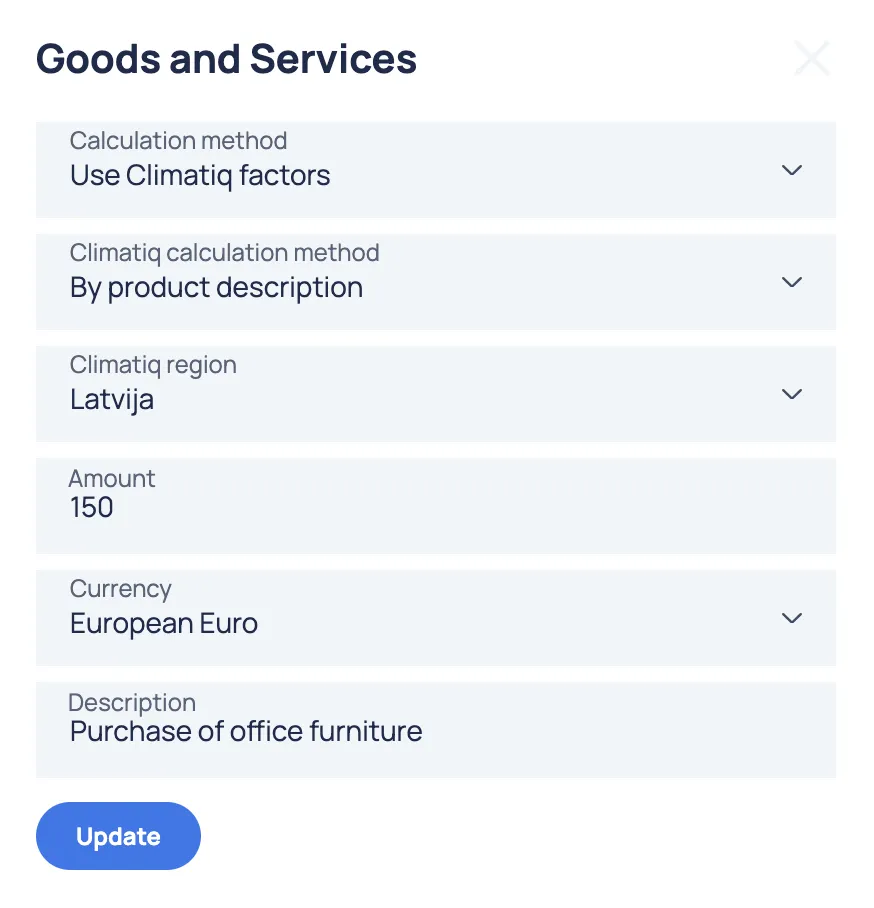
Scope 3 input data:
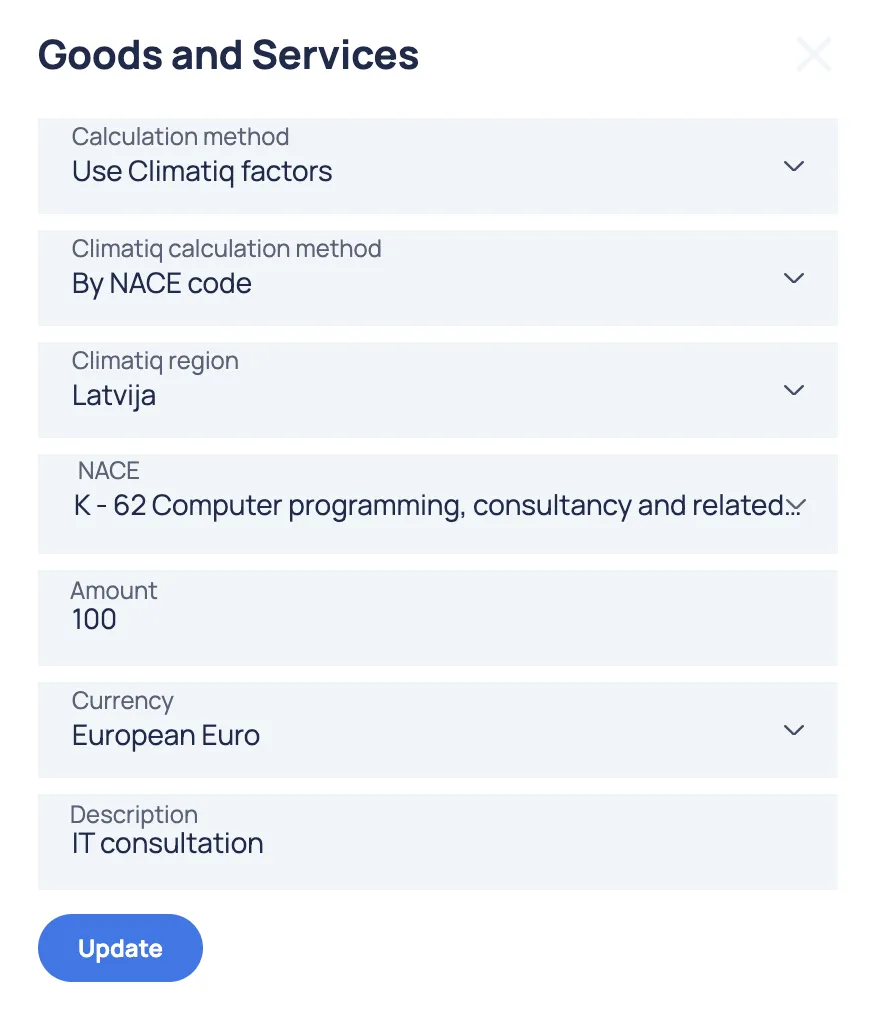
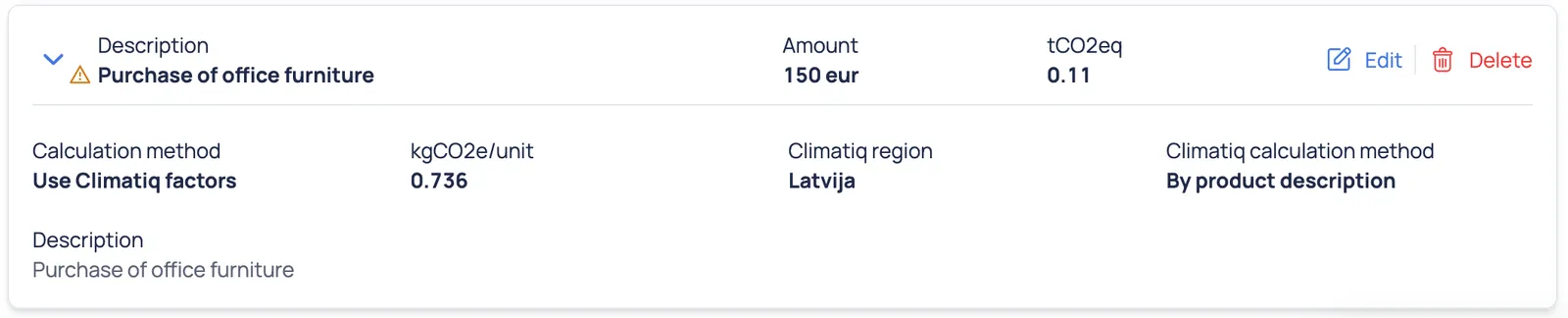
- Purchased goods and services (e.g., raw materials, packaging).
- Business travel (e.g., air travel, vehicle travel).
- Employee commuting (e.g., distance traveled, mode of transportation).
- Waste generated (e.g., waste disposal method, volume).
- Upstream and downstream transportation and distribution (e.g., logistics data, fuel use).
- For other subcategories, the emission factors are the primary variable.
An example of a Scope 3 form with custom factors:
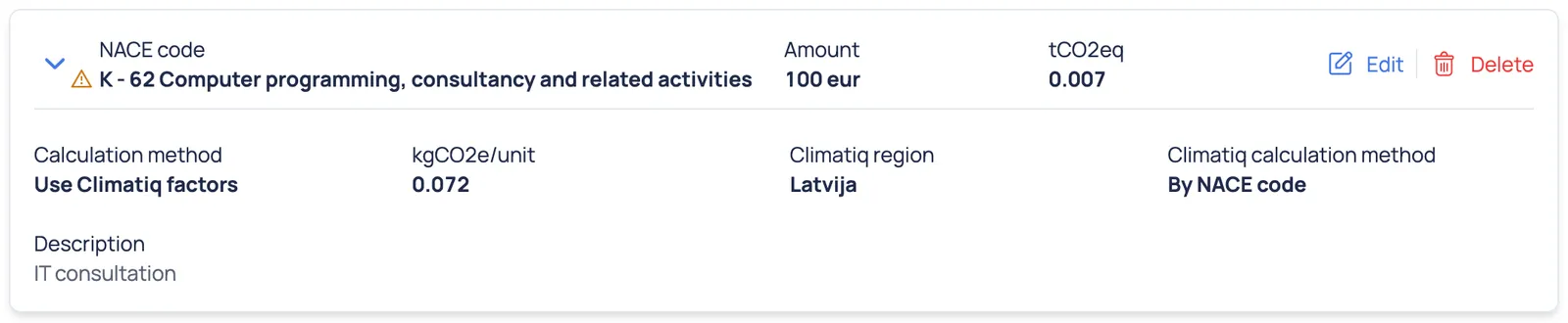
An example of a Scope 3 form with Climatiq factors:
Some shared functionalities across all Scope sections:
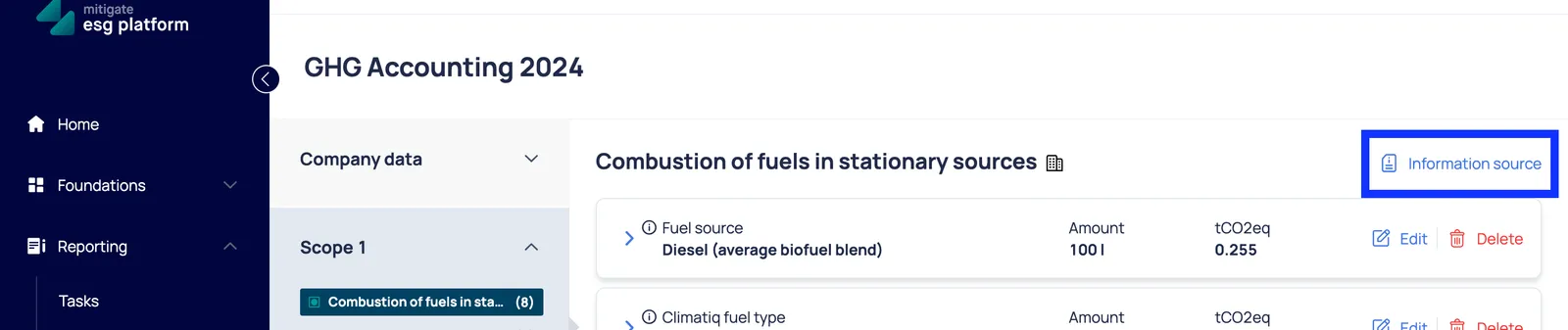
In all Scope sections, for each data inputted, you can view the source of the emission factor, ensuring that the GHG accounting is both reliable and traceable:
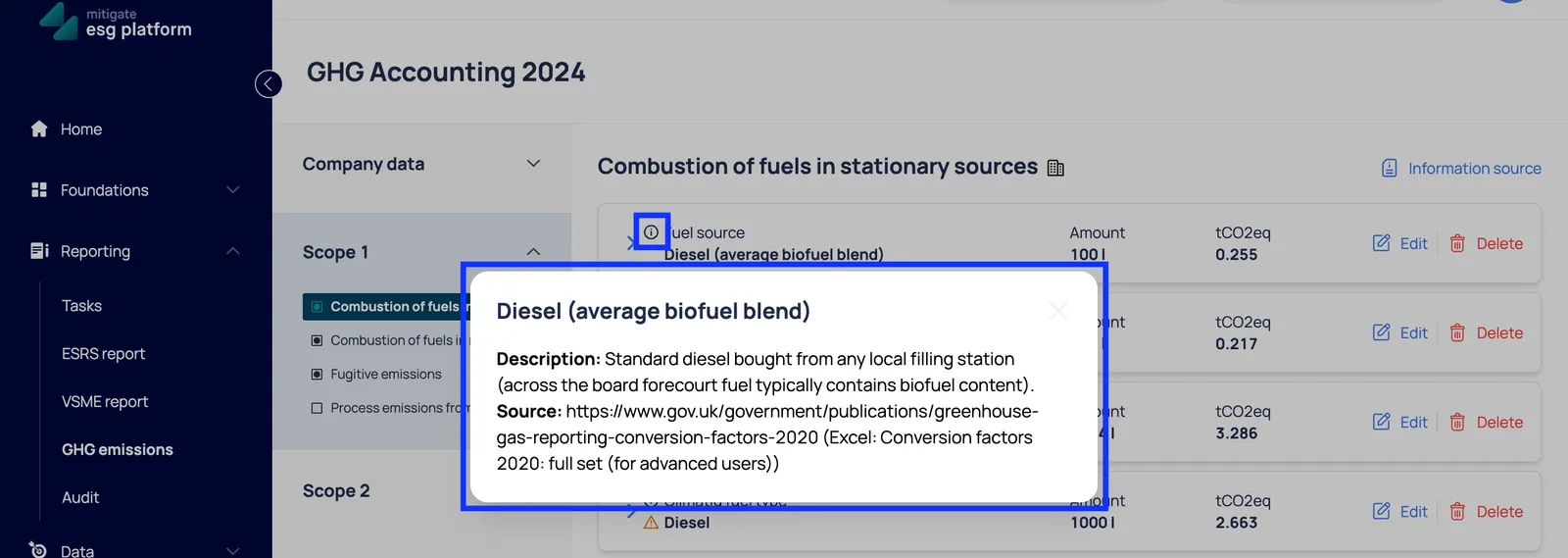
For each data inputted using Climatiq factors you can view additional information if alternative emission factor was used:
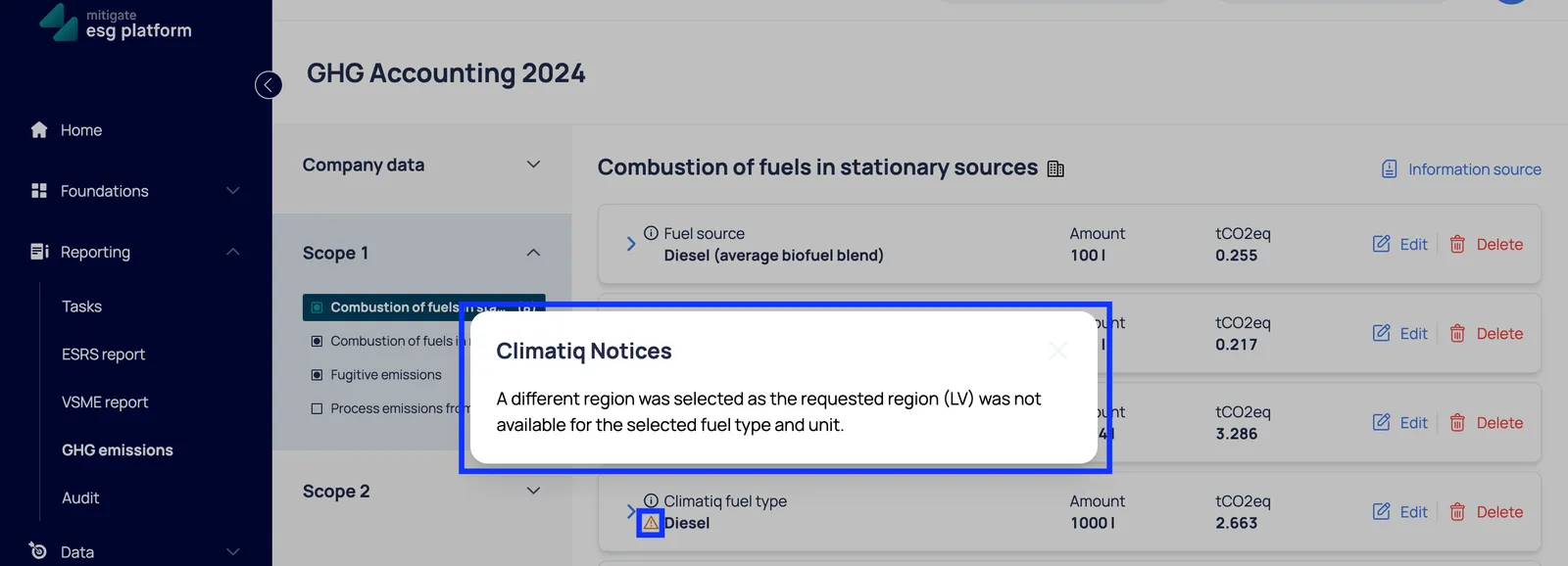
For more information about the emission factor sources, please refer to the “Emission Factors” section of this article.
Additionally, in each Scope section, the user has the option to add a source by either uploading a new document or selecting from existing ones:
Targets and Levers
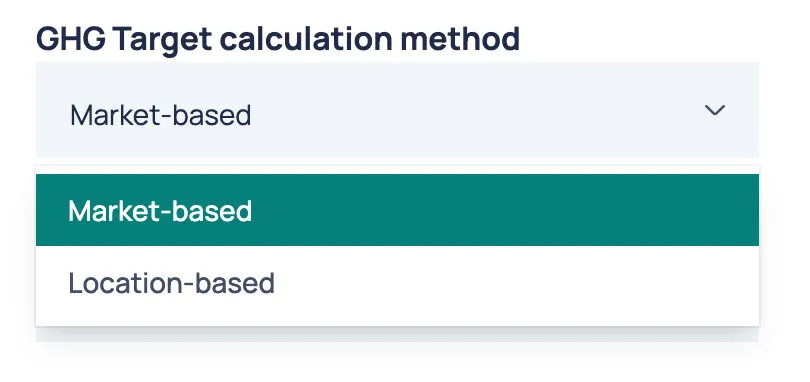
Section titled “Targets and Levers”Users must first select the GHG Target calculation method (market-based or location-based) in the GHG emissions → Base Year section.
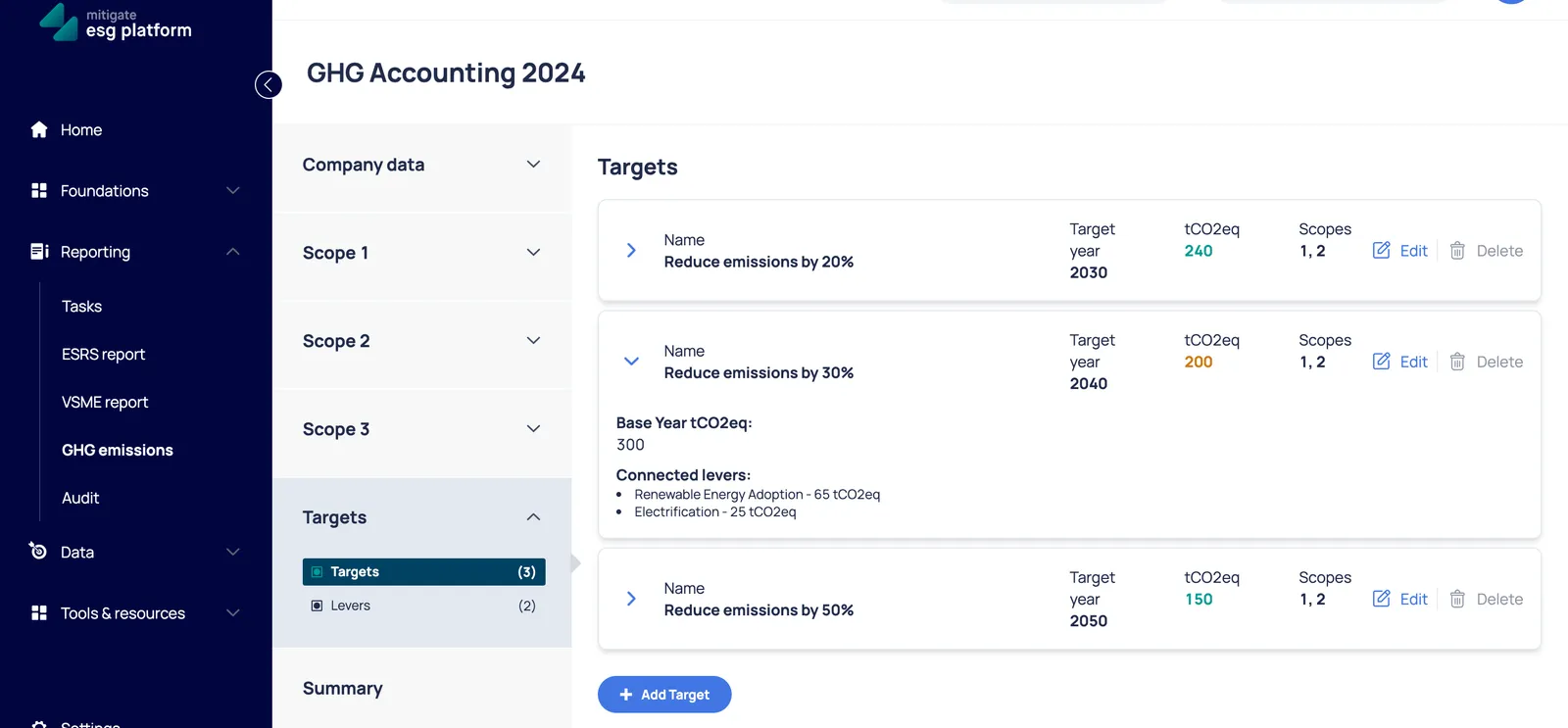
When adding a new target, users must specify the Target Name, Target Year, Target tCO2eq, and the Target Scope (one or more scopes can be selected).
Only one target can exist for each scope (or combination of scopes) per year.
Decarbonization levers are specific actions, strategies, or initiatives that organizations implement to reduce greenhouse gas emissions, achieve carbon neutrality, or meet emissions reduction targets. Decarbonization levers usually include:
- Energy Efficiency Improvements
- Renewable Energy Adoption
- Electrification
- Process Optimization
- Carbon Offsetting
- and others.
To create a lever, users must provide the Lever Name and the Lever Forecasted amounts for all related targets and years combined.
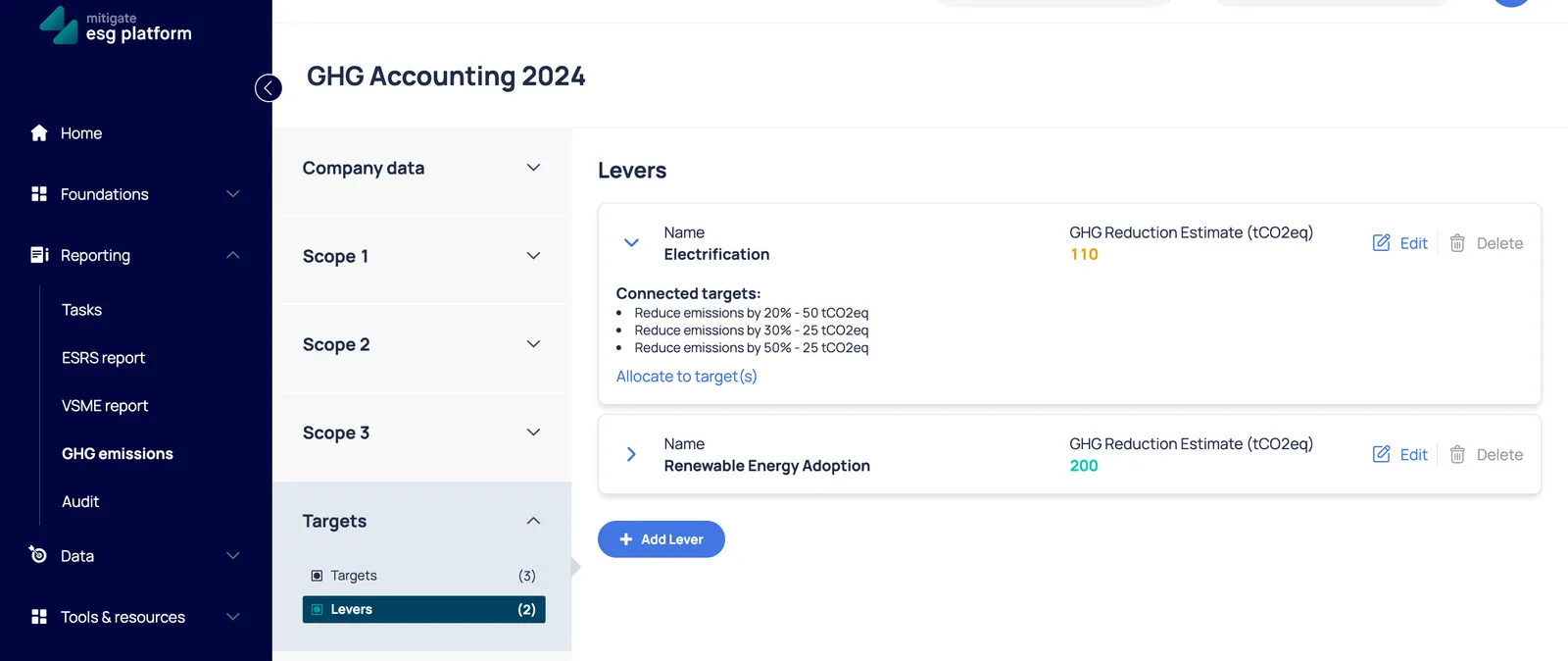
After creation, a lever must be allocated to targets.
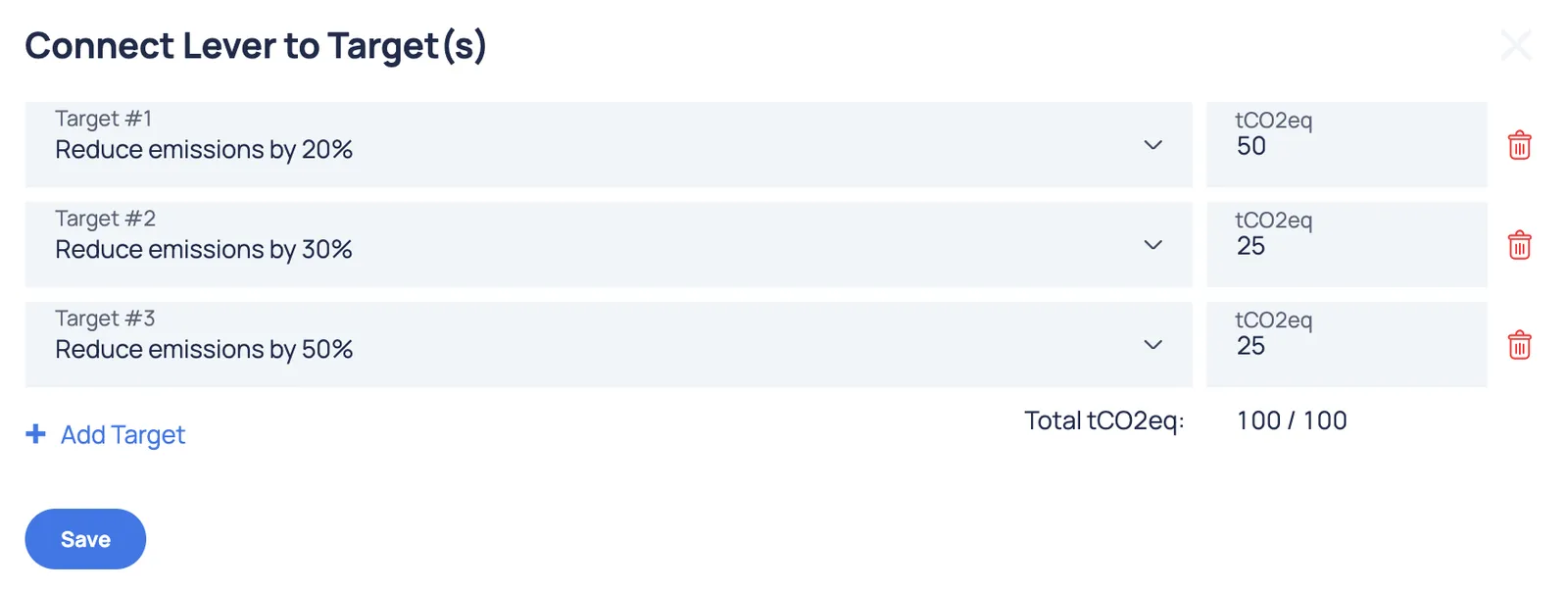
Data entered in the GHG emissions section, including targets and levers, will be visible in the report.


Emission Summary
Section titled “Emission Summary”The emission summary shows an overview of all scope emissions in one unified view. If your company is part of a group, you can select the companies you want to include in the summary view by ticking the boxes in the “Included companies in Summary and Targets” section under Company Data (companies should be added to the Mitigate ESG platform).
The user has the option to view either the consolidated GHG accounting results or the standalone results for each company in one view:
Consolidated summary:
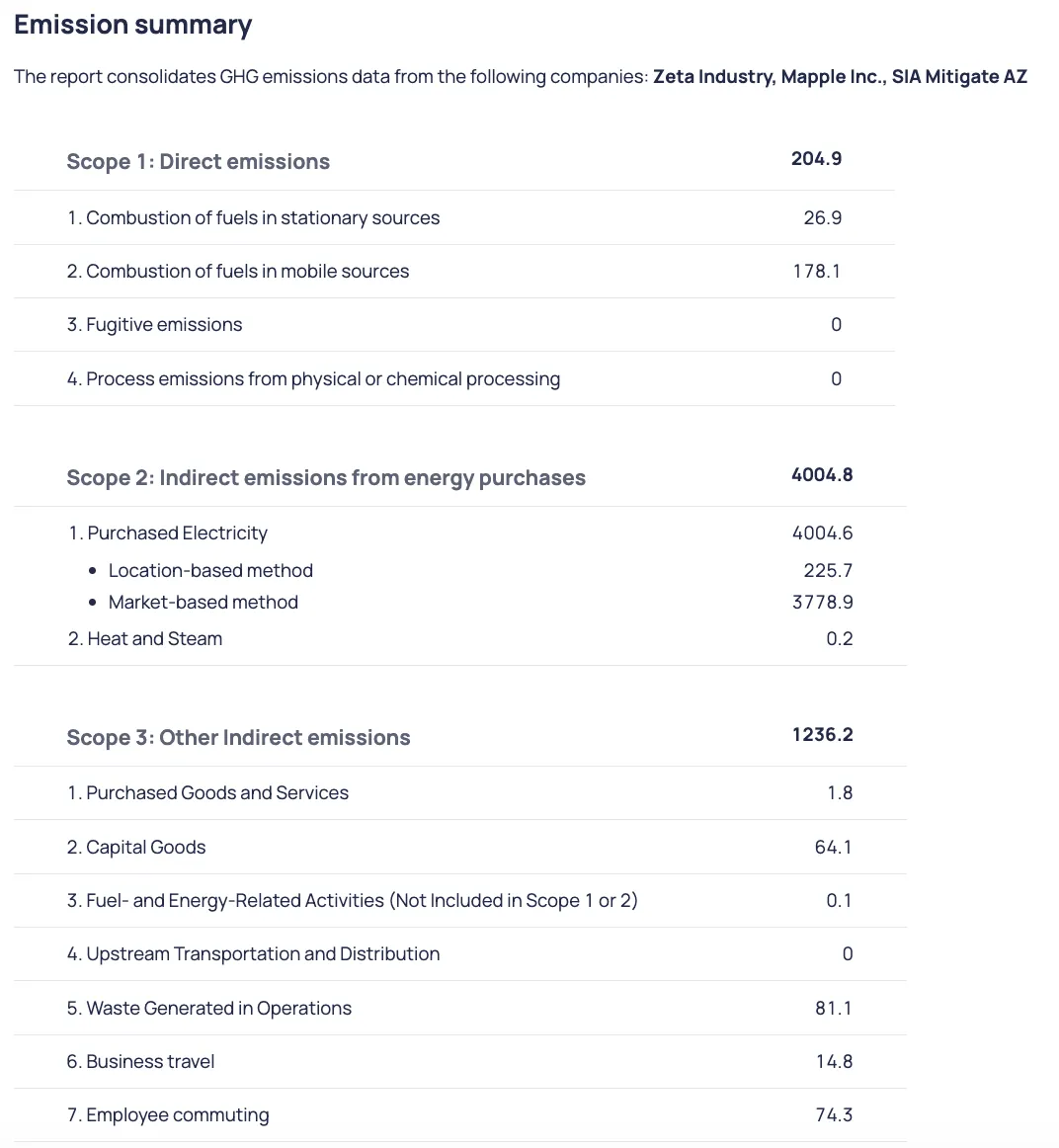
Standalone summary:
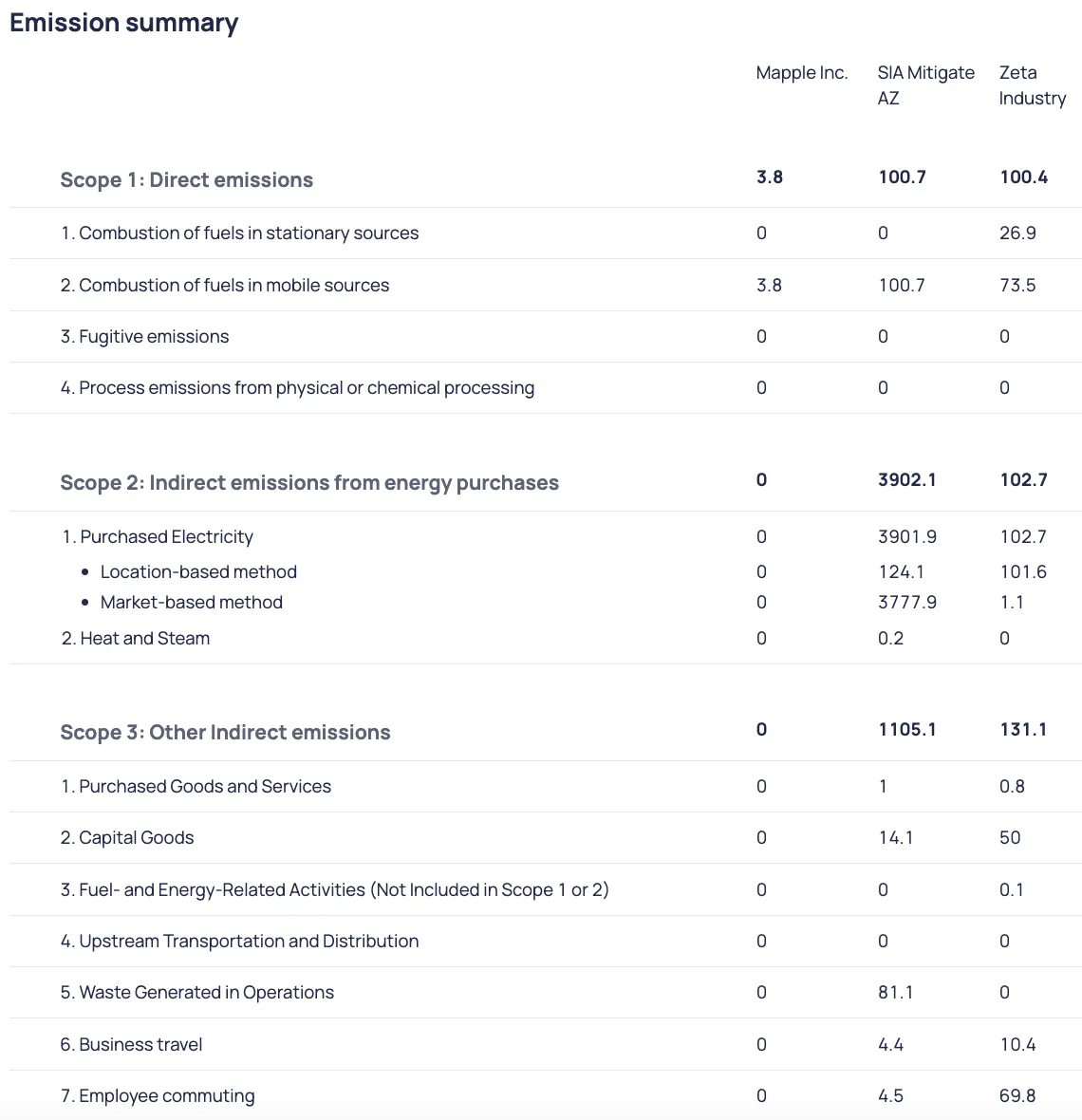
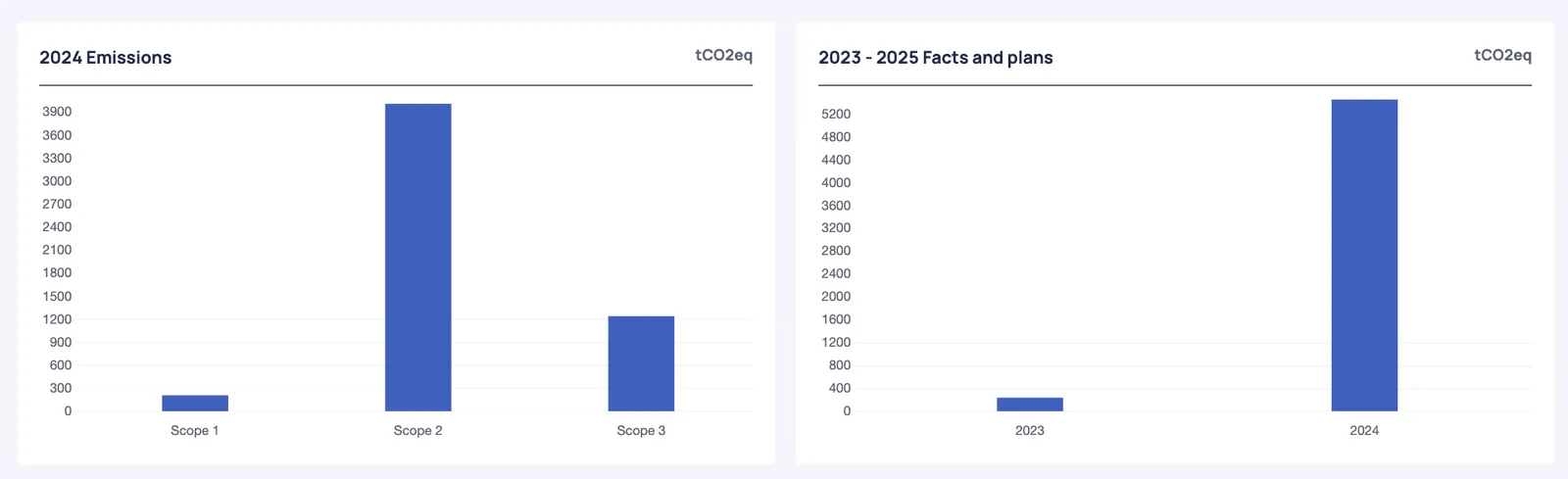
Some GHG accounting graphs are available in the Summary section
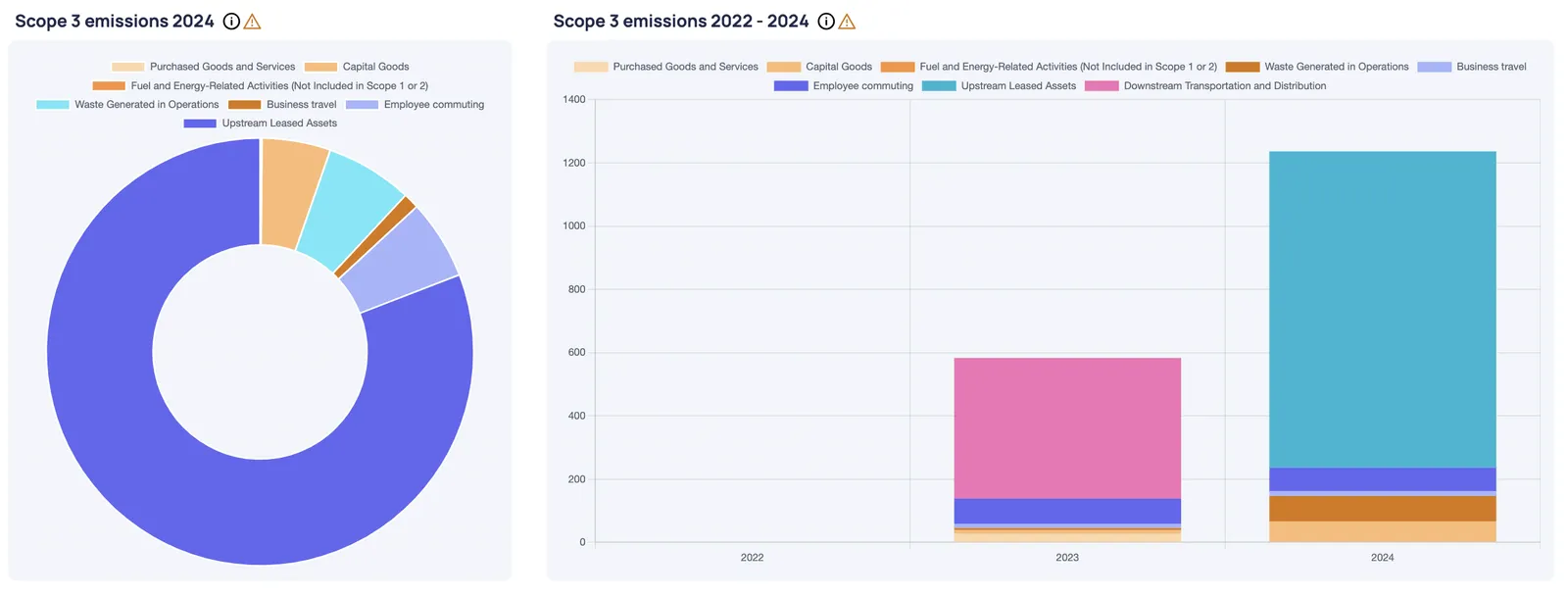
However, additional visual graphs related to GHG accounting are available in the KPI module, for example Scope 3 composition:
Emission Factors
Section titled “Emission Factors”In the Mitigate ESG Platform, we have categorized emission factors into various groups:
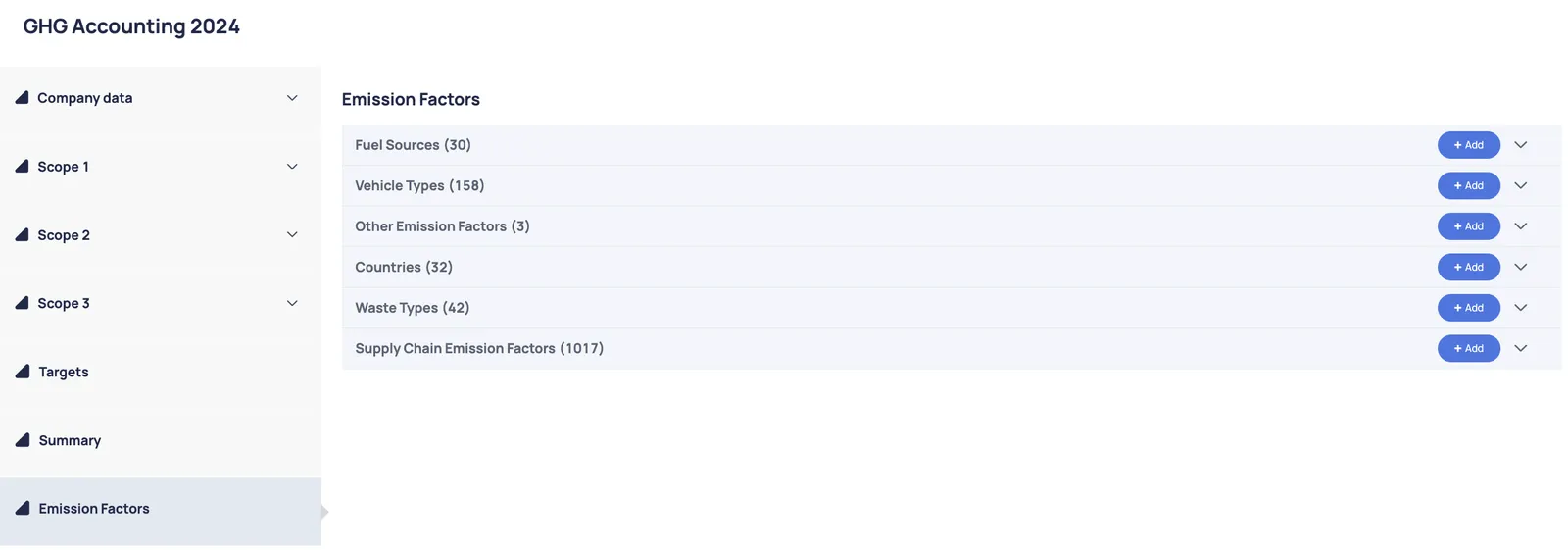
If a user cannot find the required emission factor, they have the option to add it manually. The form varies slightly depending on the category, but the mandatory information required includes:
- Name of the emission factor
- Unit
- Kgco2e per Unit
Although the “source” is not mandatory, it is important to include information about the emission source to ensure the GHG report is reliable, transparent and accurate.
In the Platform we use emission factors, gathered from official data sources, like:
- https://www.ipcc.ch/data/
- https://www.iea.org/
- https://www.epa.gov/
- The DEFRA Emission Factor Database