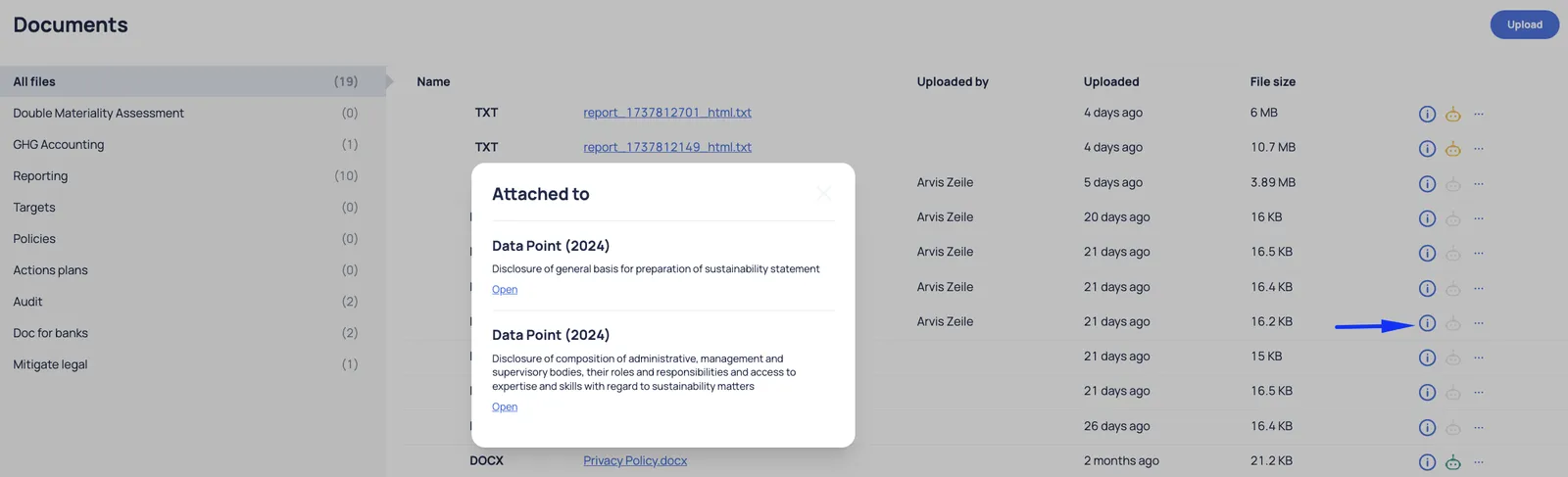
Documents
In the document section, user can easily upload files in DOCX, PDF, and XLSX formats. Once uploaded, documents will be accessible in Documents section.
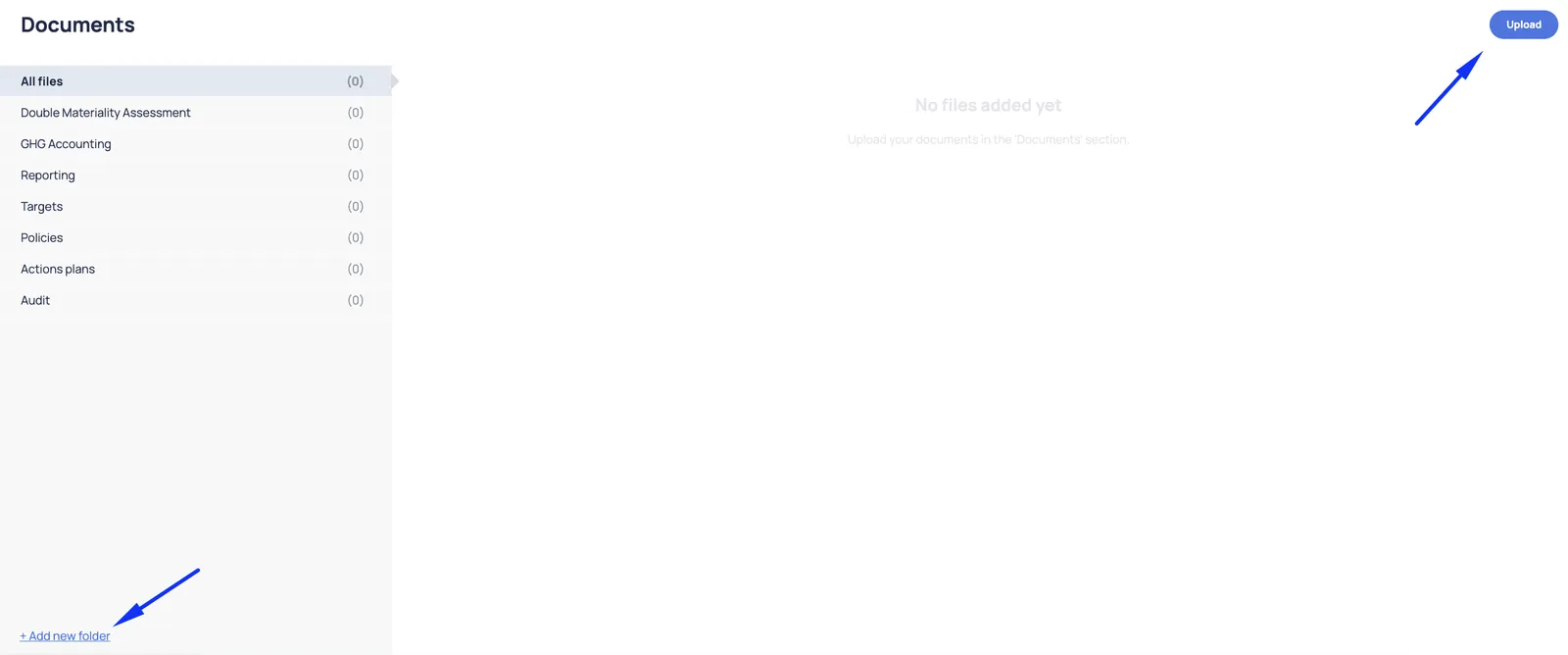
Documents can be organized into folders, and user can create custom folders to better manage uploaded files:
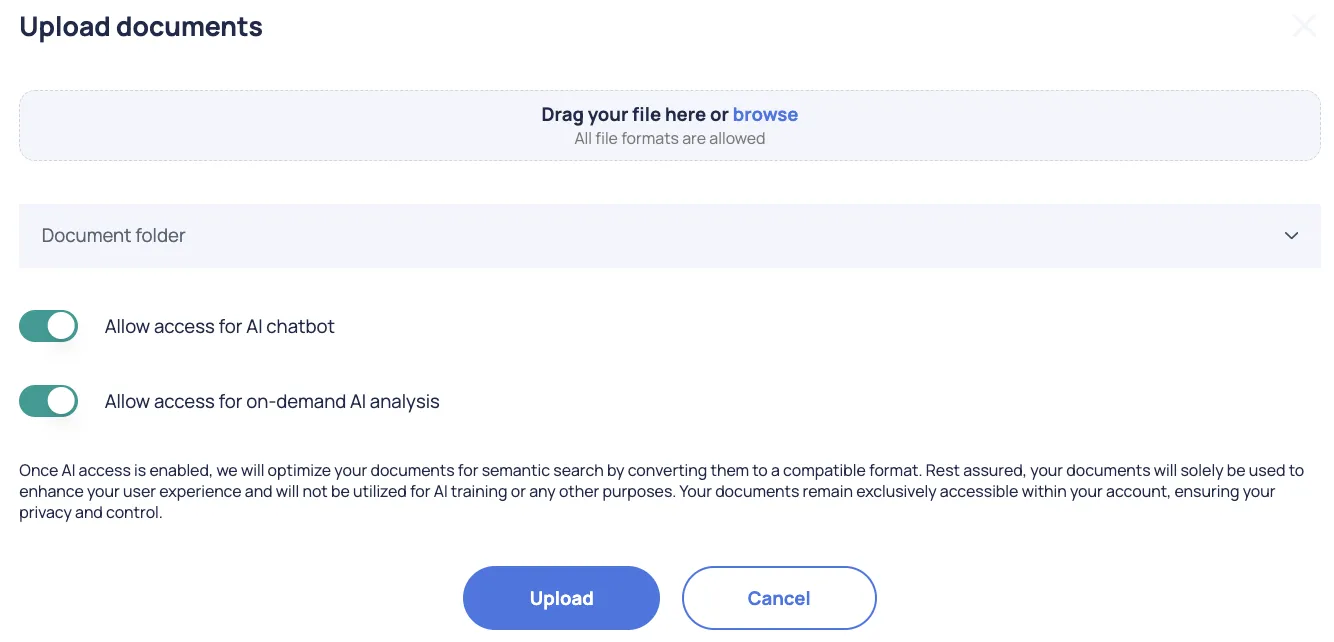
For each document, user can specify whether it should be used by the AI assistant and AI chatbot. The settings selected initially can be updated later:
Each uploaded document can be downloaded by clicking on the document’s hyperlink.
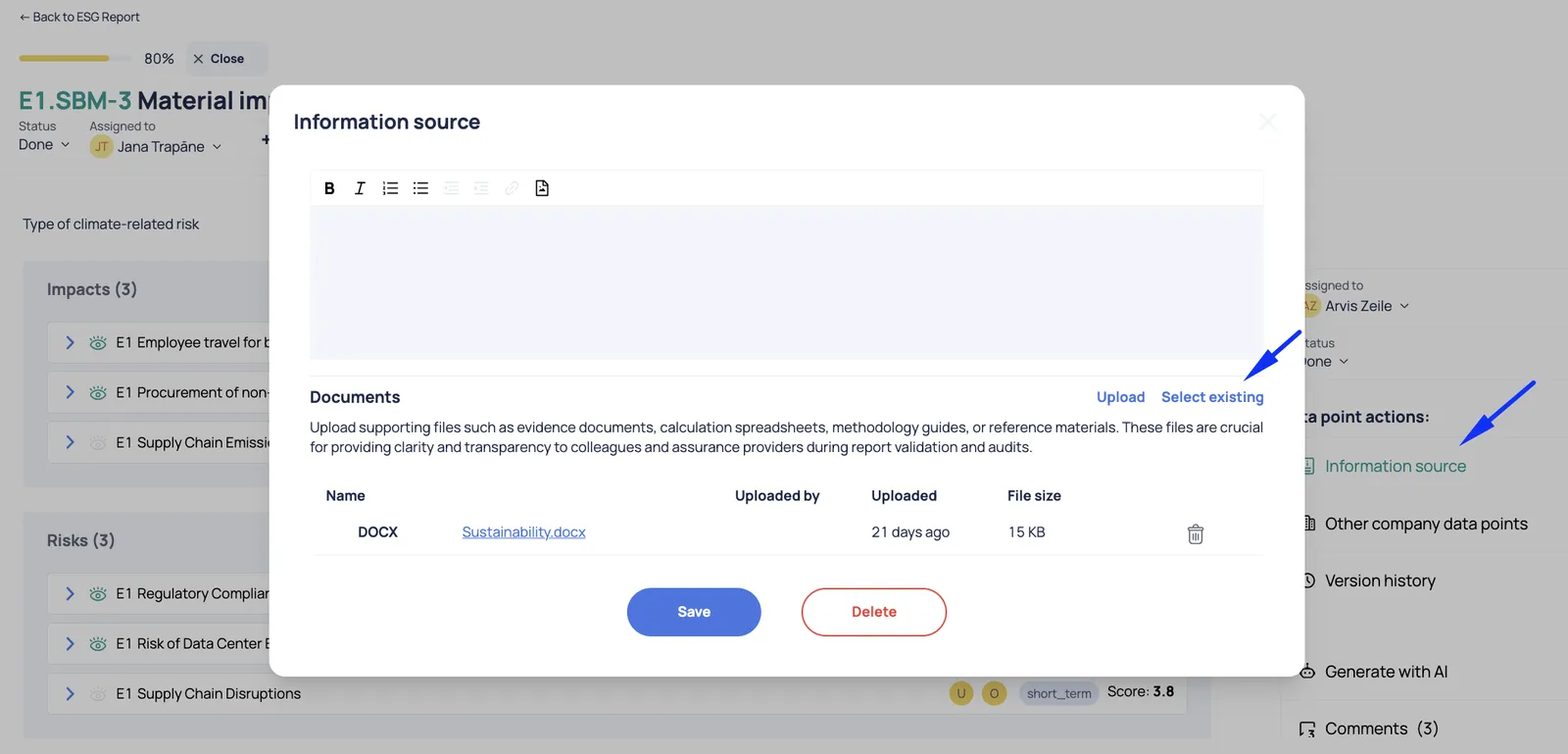
For added convenience, when describing a data point or filling in information in the DMA, user have the option to attach an existing file from the Document section:
From the document’s perspective, it is easy to identify where this document has been linked: