Stakeholders
Stakeholder Management
Section titled “Stakeholder Management”The Stakeholders section serves as a central register to methodically record and categorize individuals and groups that have an interest in your company’s operations and sustainability practices.
Core Functionalities
Section titled “Core Functionalities”- Stakeholder Registry: A systematic list of groups (e.g., employees, partners, suppliers, investors) relevant to your company’s sustainability context.
- Group Weighting: Assign a specific weight to each stakeholder group to quantify their relative importance. This ensures their feedback has a proportionate impact on the final Double Materiality Assessment.
- Survey Integration: The email addresses recorded here are used by the platform to distribute materiality surveys. This allows you to collect direct input from stakeholders to inform your reporting.
Adding Stakeholders Manually
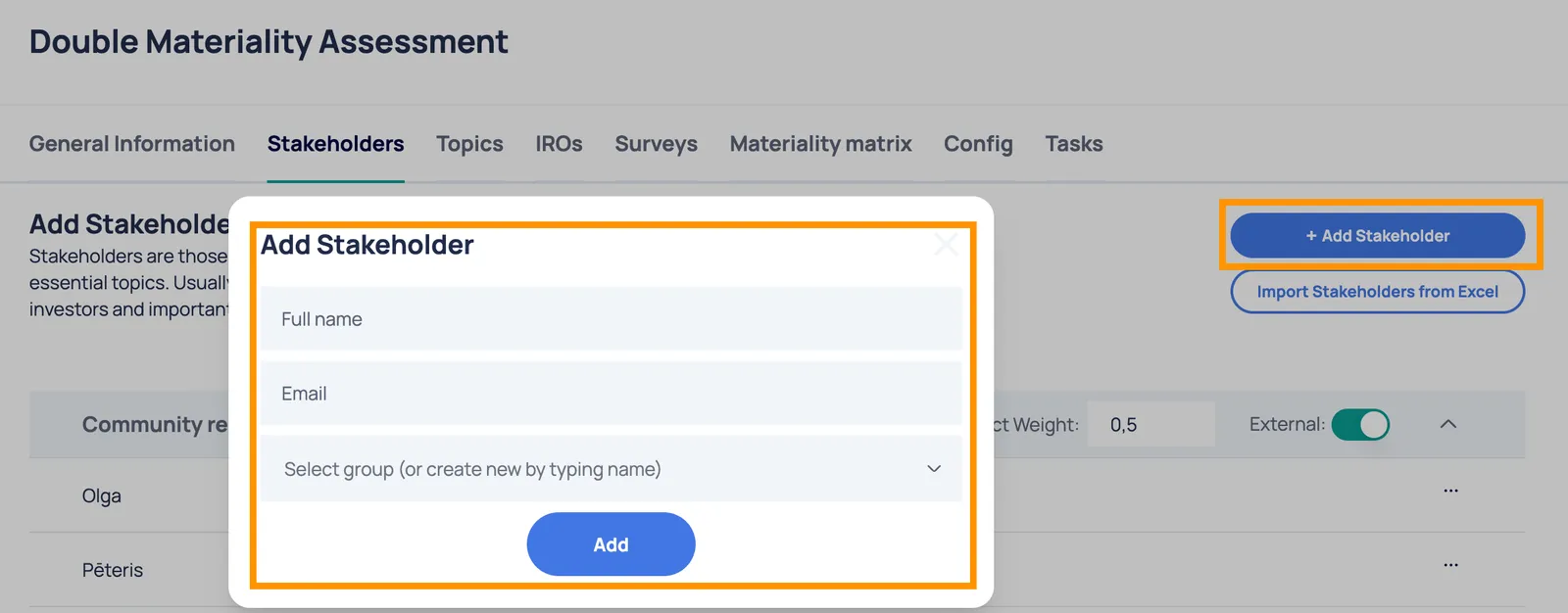
Section titled “Adding Stakeholders Manually”To add a new stakeholder, complete the following required fields:
- Name & Email: Provide the contact details for the representative. Ensure the email address is accurate, as this is the address used for survey invitations.
- Group: Categorize the stakeholder (e.g., “Clients”, “Suppliers”).
- Tip: You can select an existing group from the dropdown or type a new group name to create a category on the fly.
Bulk Import from Excel
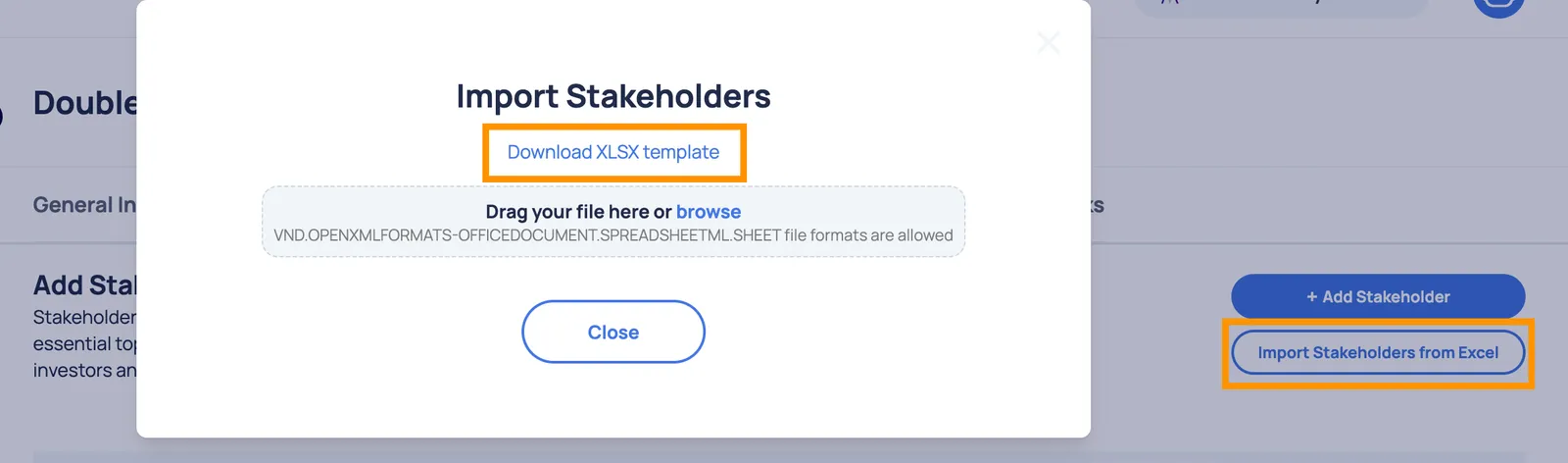
Section titled “Bulk Import from Excel”For larger organizations, you can use the Excel Import feature to upload your list in bulk.
Important: For the import to be successful, your Excel file must include the Name, Email, and Group for every entry. These three fields are mandatory.