Disclosure Requirements and Data Point Statuses
To give your team complete control over the reporting workflow, Mitigate ESG allows you to manually manage statuses for both high-level requirements and individual metrics, while the platform handles the completion math in the background.
This article explains how the 3-status system works and how progress percentages are calculated.
1. The Three Reporting Statuses
Section titled “1. The Three Reporting Statuses”Both Disclosure Requirements (DR) and Data Points (DP) use the same straightforward, three-stage workflow. These statuses do not change automatically - users have full control to update them at any time based on their internal review process:
- To Do: The default state for any requirement or data point that has not yet been addressed.
- In Progress: Used when a team member is actively gathering data, typing narratives, or uploading files.
- Done: Used to signal that the data point or requirement is finalized, accurate, and ready for audit.
2. How Progress Percentages (%) Are Calculated
Section titled “2. How Progress Percentages (%) Are Calculated”While statuses are set manually by the user, the Progress Percentage (%) is entirely automated.
The progress bar of a high-level Disclosure Requirement is calculated directly from the status of the individual Data Points inside it:
- Only Data Points manually set to “Done” contribute to the percentage.
- Data Points marked as “To Do” or “In Progress” count as 0% complete.
- Turned-off Data Points: Any data points that have been turned off or deactivated within the requirement are completely excluded from the math. They will not count towards the total number of data points, ensuring your progress bar is not negatively affected by metrics you do not need to report on.
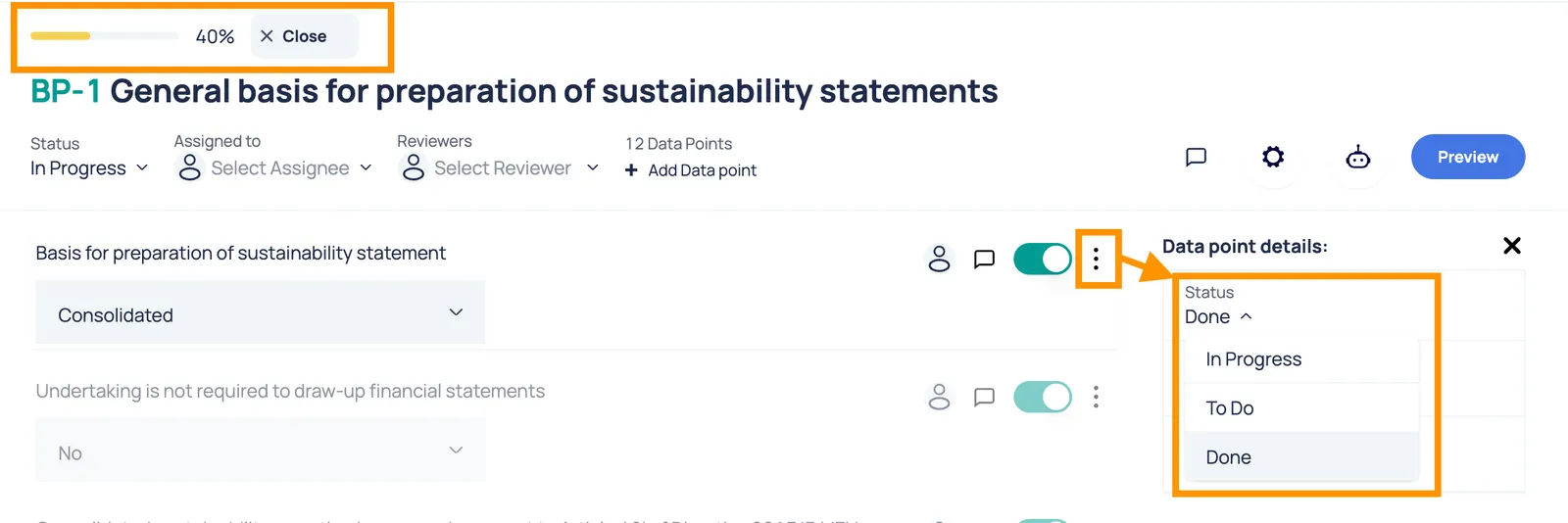
💡 Example: If a Disclosure Requirement contains 10 Data Points in total:
- You set 3 Data Points to “In Progress” and 4 Data Points to “Done”.
- The high-level Disclosure Requirement progress bar will automatically calculate and display 40%.
Best Practices for Teams
Section titled “Best Practices for Teams”- Update Data Points First: We recommend managing statuses at the granular Data Point level first. As your team marks individual data points as Done, you will see the high-level progress percentages climb.
- Manually Closing a Requirement: Once the progress bar for a Disclosure Requirement hits 100% (meaning all underlying data points are marked as Done), a manager can manually change the high-level Disclosure Requirement status to Done.
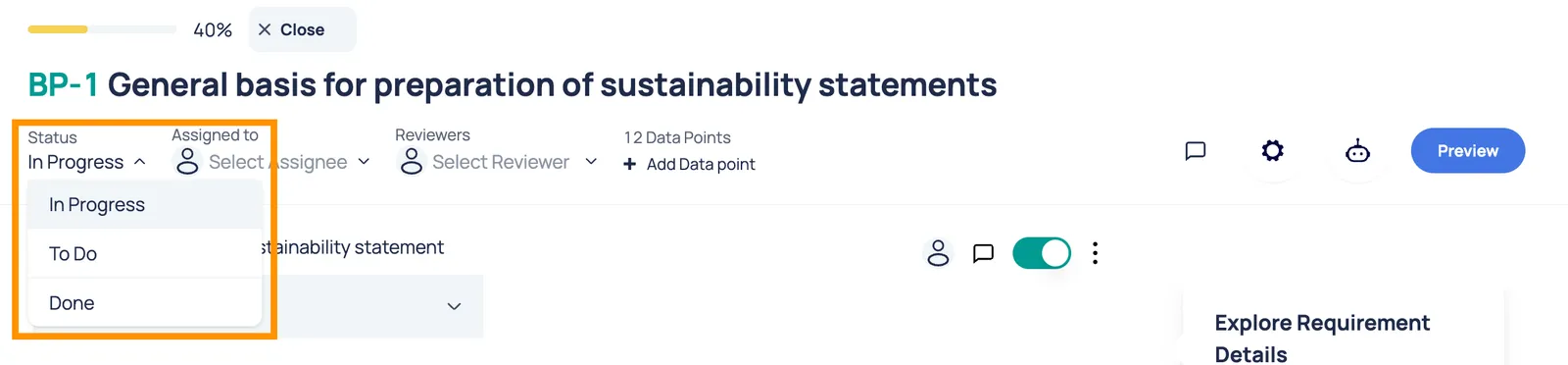
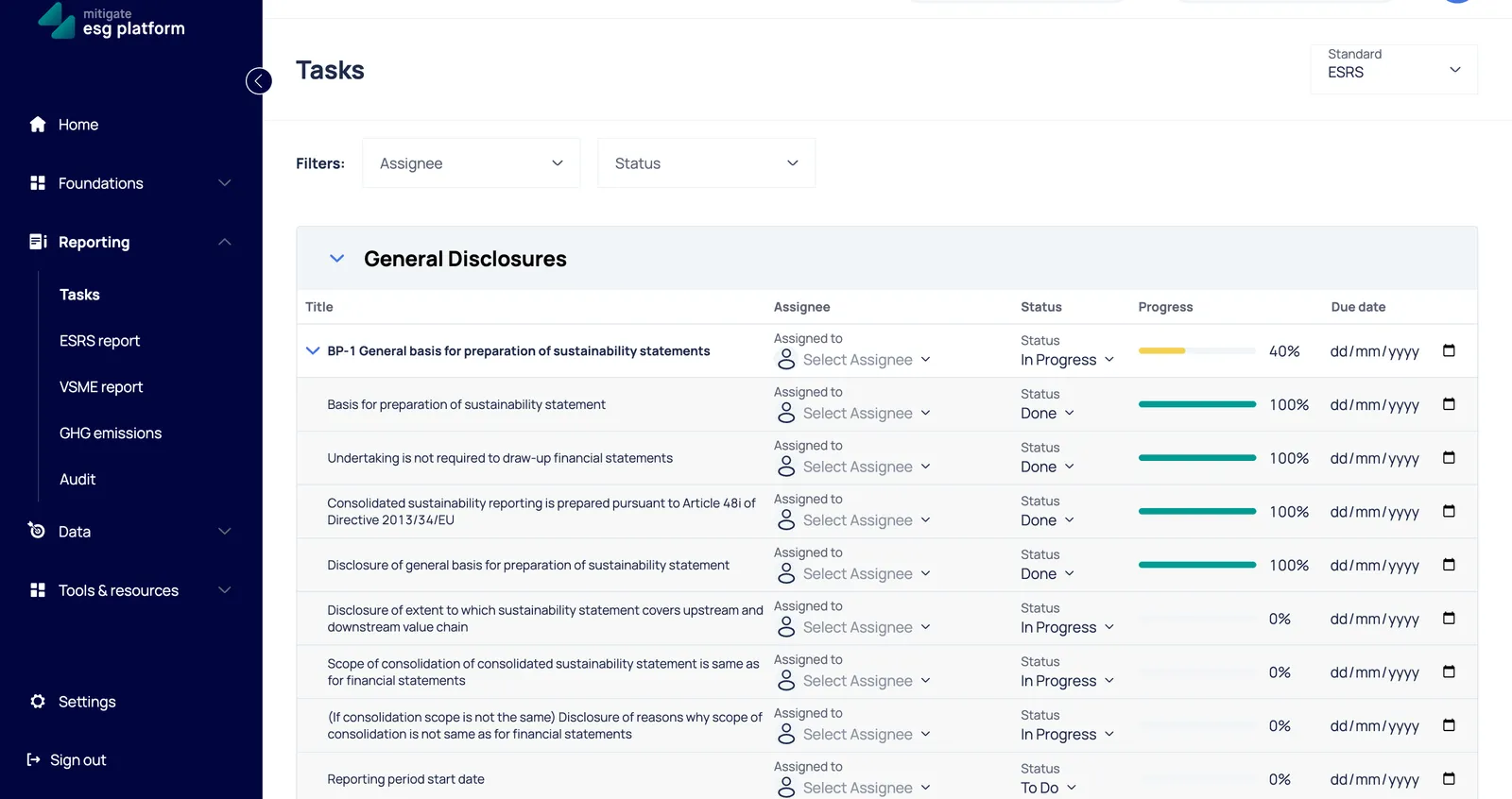
- Quick Status Updates: It is also possible to easily change these statuses directly from the Tasks section, giving you a quick way to manage your workflow in one place.