Preparing for the Due Diligence Process
To ensure a successful and accurate Due Diligence analysis, the platform requires three key data sources: your Company Website, Internal Documents, and NACE Codes. Following these steps allows the AI to cross-reference your data effectively.
Step 1: Configure Company Information
Section titled “Step 1: Configure Company Information”First, define your company’s digital footprint and industry classification.
- Website: Navigate to Settings → Company and enter your full website URL (e.g.,
https://www.yourcompany.com).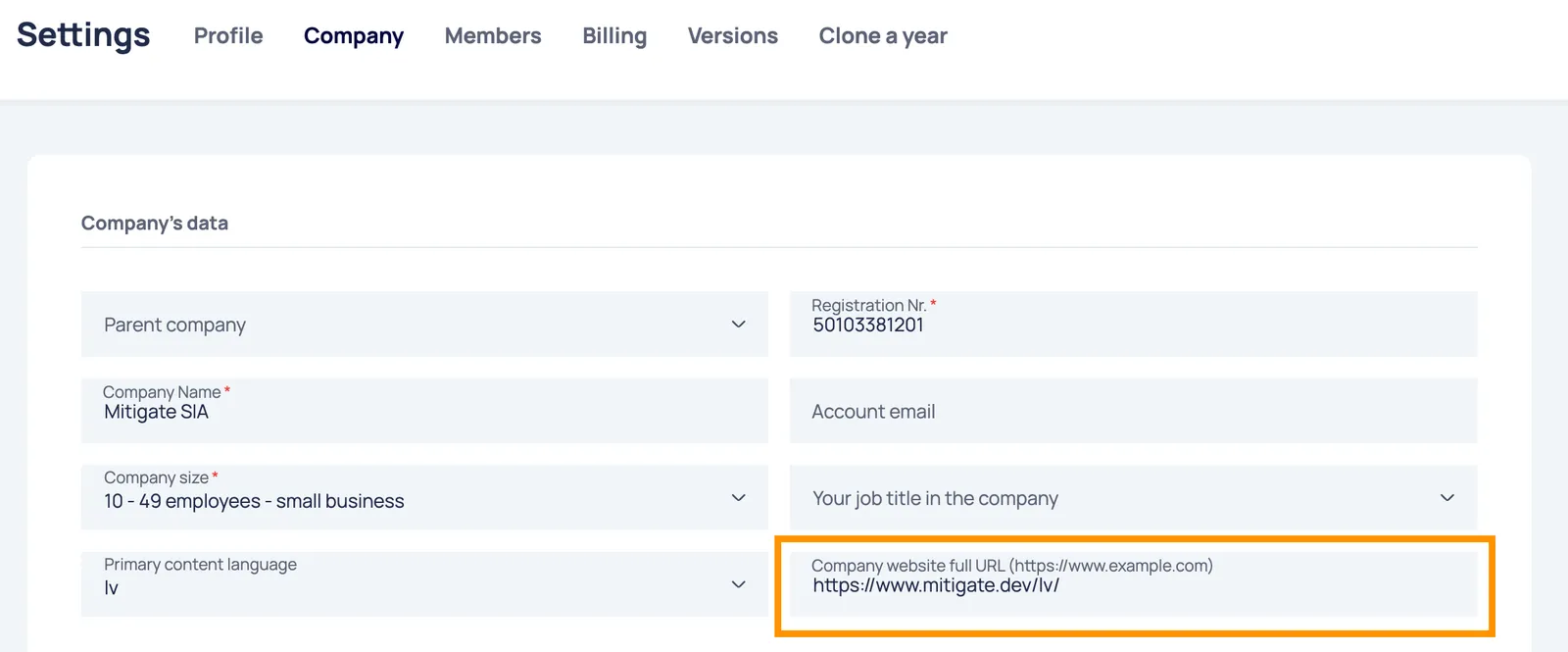
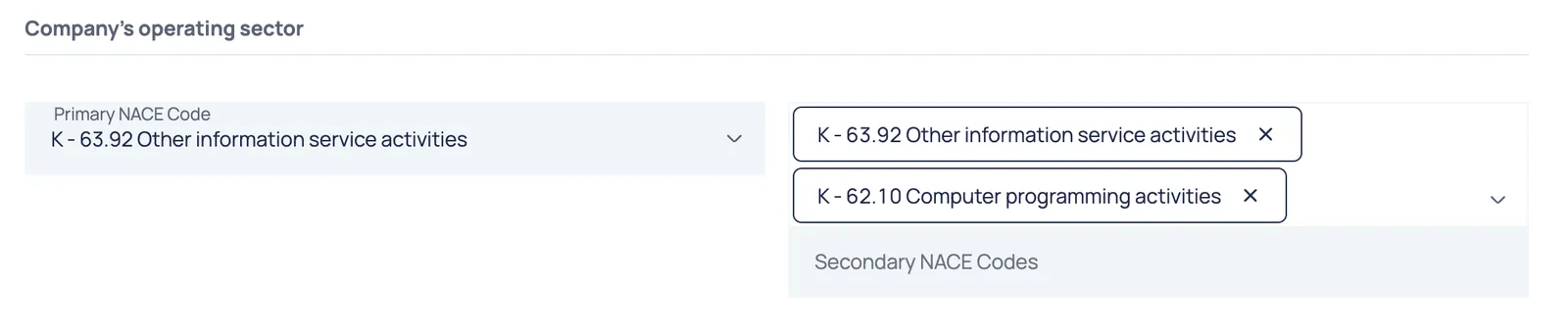
- NACE Codes: In the same section, enter your Primary NACE Code. If applicable, add any Secondary NACE Codes to ensure the AI understands the full scope of your business activities.
Step 2: Fetch Website Content
Section titled “Step 2: Fetch Website Content”Once the URL is saved, you need to import the website’s text data.
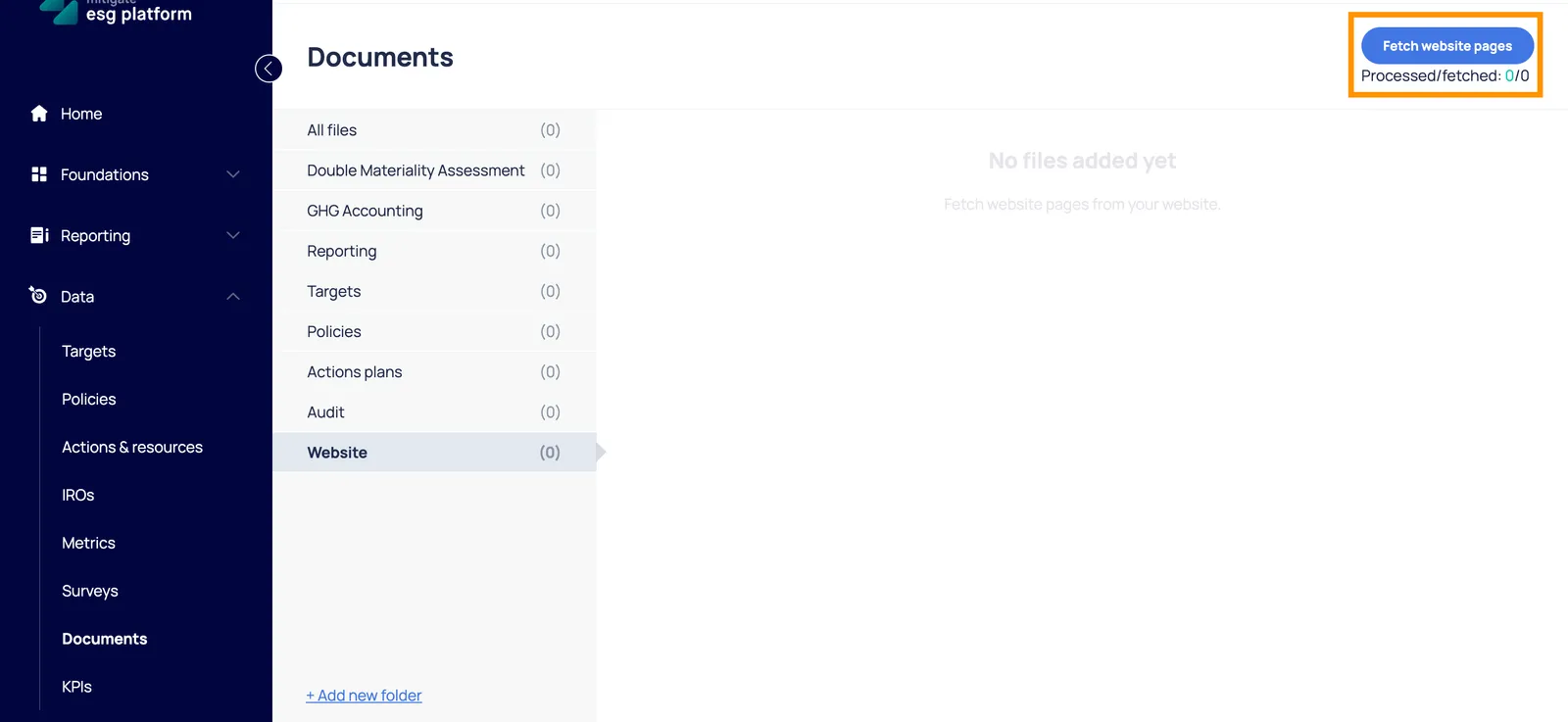
- Navigate to Settings → Documents.
- Open the Website folder.
- Click the “Fetch website page” button. The platform will begin scraping the content to use as a knowledge base.
Step 3: Upload Internal Documents
Section titled “Step 3: Upload Internal Documents”The AI needs access to your internal reports and policies.
- Go to Data → Documents.
- Upload all relevant files (PDFs, Reports, Policies).
- Important: Ensure you have enabled the “Allow AI access” toggle for each document so they can be included in the analysis.
Step 4: Verify and Start Analysis
Section titled “Step 4: Verify and Start Analysis”Once the data is processed:
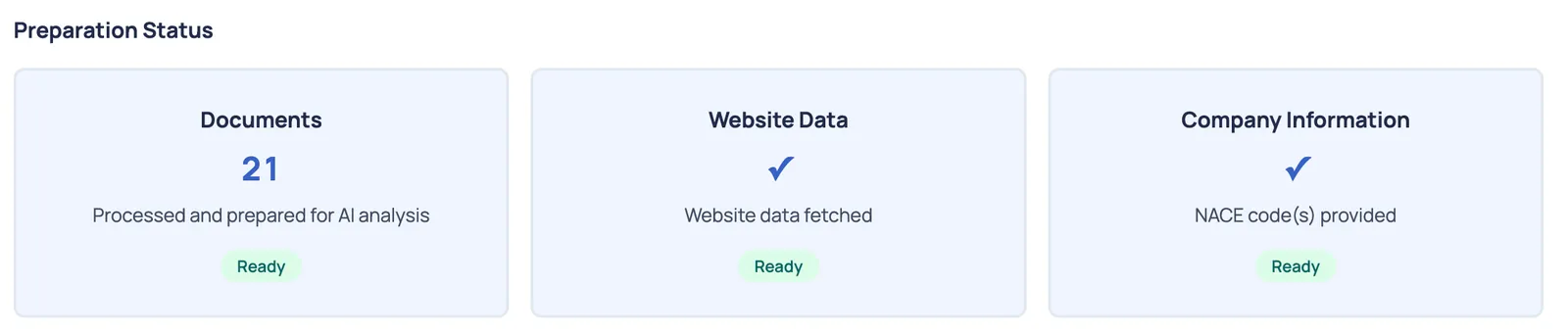
- Navigate to the Tools & resources → Due Diligence section.
- Check the status indicators to ensure all data sources are successfully linked.
- You are now ready to begin the Due Diligence Analysis.
💡 Pro-Tips for Better Results
Section titled “💡 Pro-Tips for Better Results”- Language Consistency: For the highest accuracy, ensure that your Platform Language, Website Content, and Uploaded Documents are all in the same language. Mixing languages can lead to incomplete data retrieval.
- Document Quality: Clear, text-searchable PDFs or Word documents provide much better results than scanned images or low-quality documents.