How to update Materiality Assessment topics mapping for ESRS report
If the “Materiality Assessment Topics” toggle was enabled in the ESRS Report section before the DMA was finalized, the status of the Disclosure Requirements (DRs) may not update automatically. This means that even if you change your materiality results, the report might still show the old set of required disclosures.
To force a refresh and ensure your report aligns with your newest calculations, please follow these steps:
- Reset Sub-Topic Status: Go to Foundations -> Materiality -> Topics. Uncheck/remove the “Relevant” status for all sub-topics.
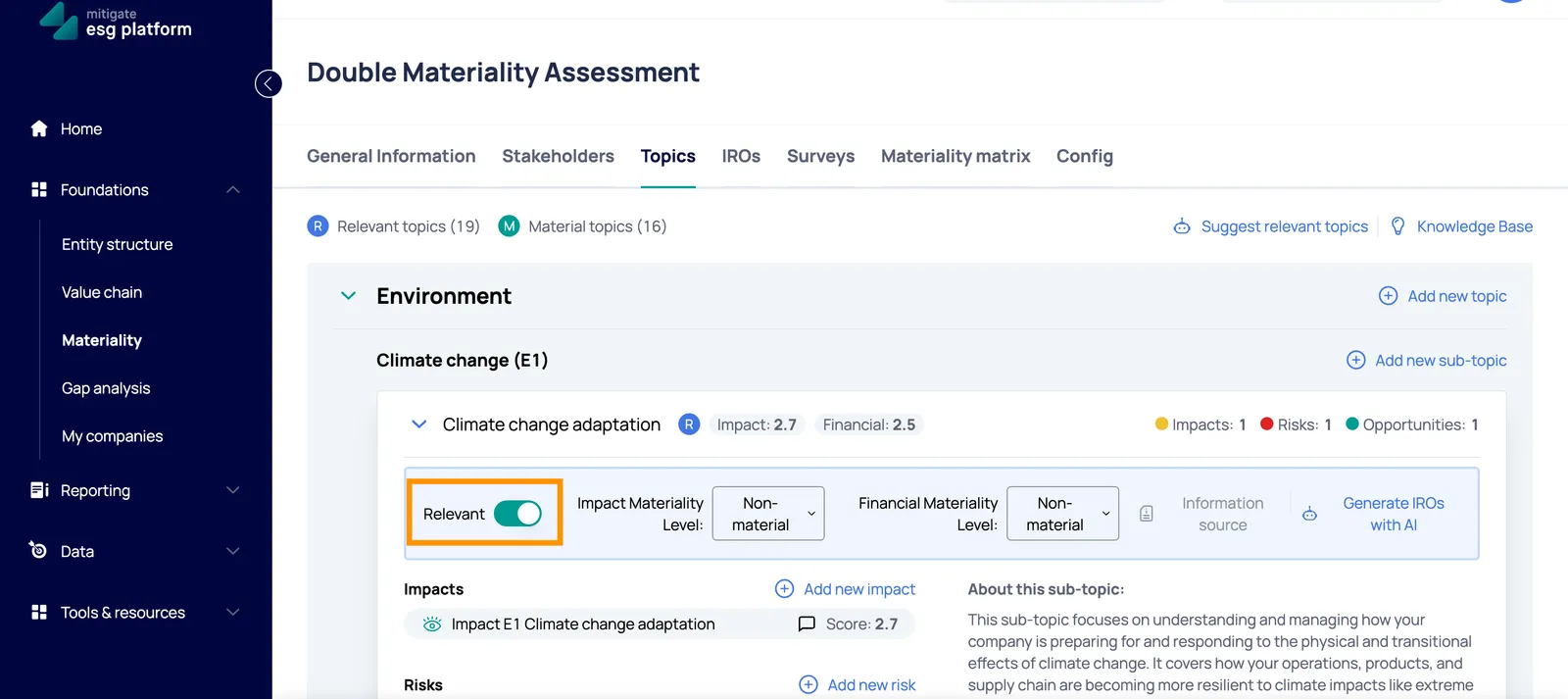
- Disable Report Sync: Go to Reporting -> ESRS Report and switch OFF the “Materiality Assessment Topics” toggle.
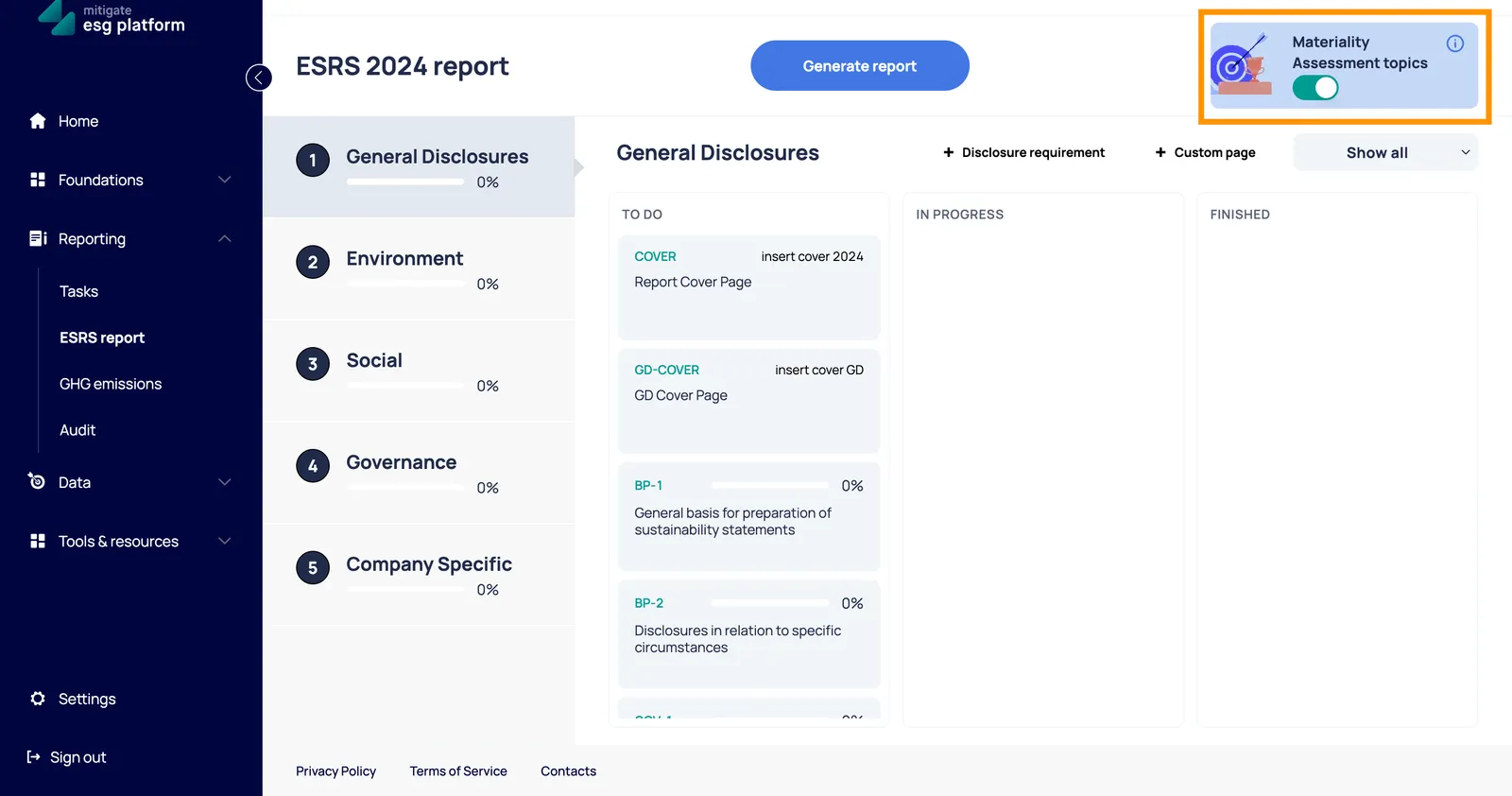
- Restore Sub-Topic Status: Go back to Foundations -> Materiality -> Topics and re-check the “Relevant” status for the sub-topics that should be included in your report.
- Re-enable Report Sync: Go back to Reporting -> ESRS Report and switch the “Materiality Assessment Topics” toggle back ON.
This process forces the platform to re-evaluate the status of all Disclosure Requirements and correctly display them in your report.
Note: We are currently working on a permanent solution to automate this process and make future updates more seamless for our users.