Manage a group of companies
The platform offers a versatile feature that enables users to add multiple companies to a single account. This functionality allows for the aggregation of data from all the added companies. This data aggregation is invaluable for users seeking to merge information from various entities, offering a consolidated view to aid in overall data analysis and reporting. Data from other entities are not automatically rendered in reports, instead the data are available in appropriate places to facilitate information disclosing for the root company.
High Level Structure
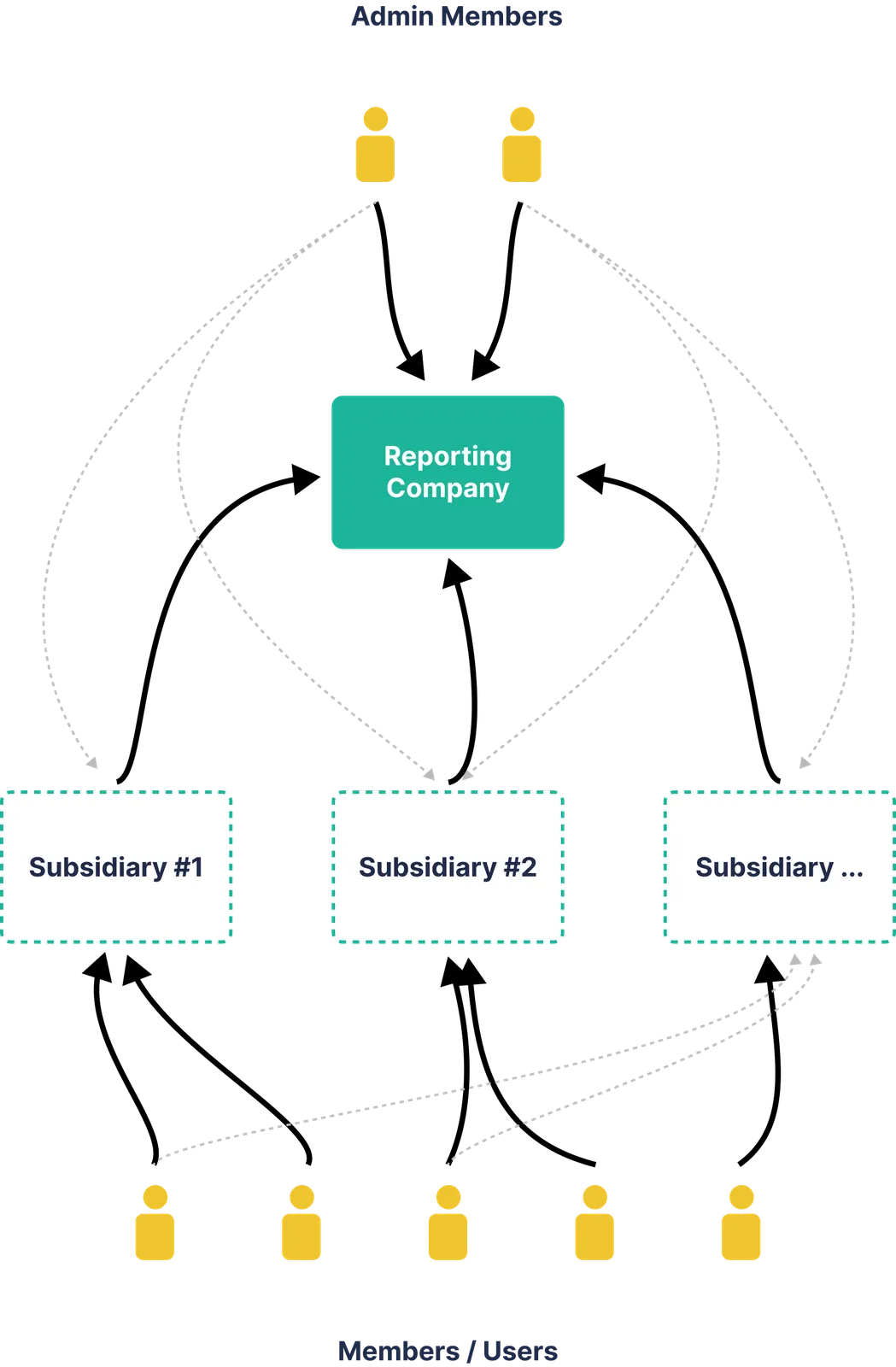
Adding subsidiaries
Section titled “Adding subsidiaries”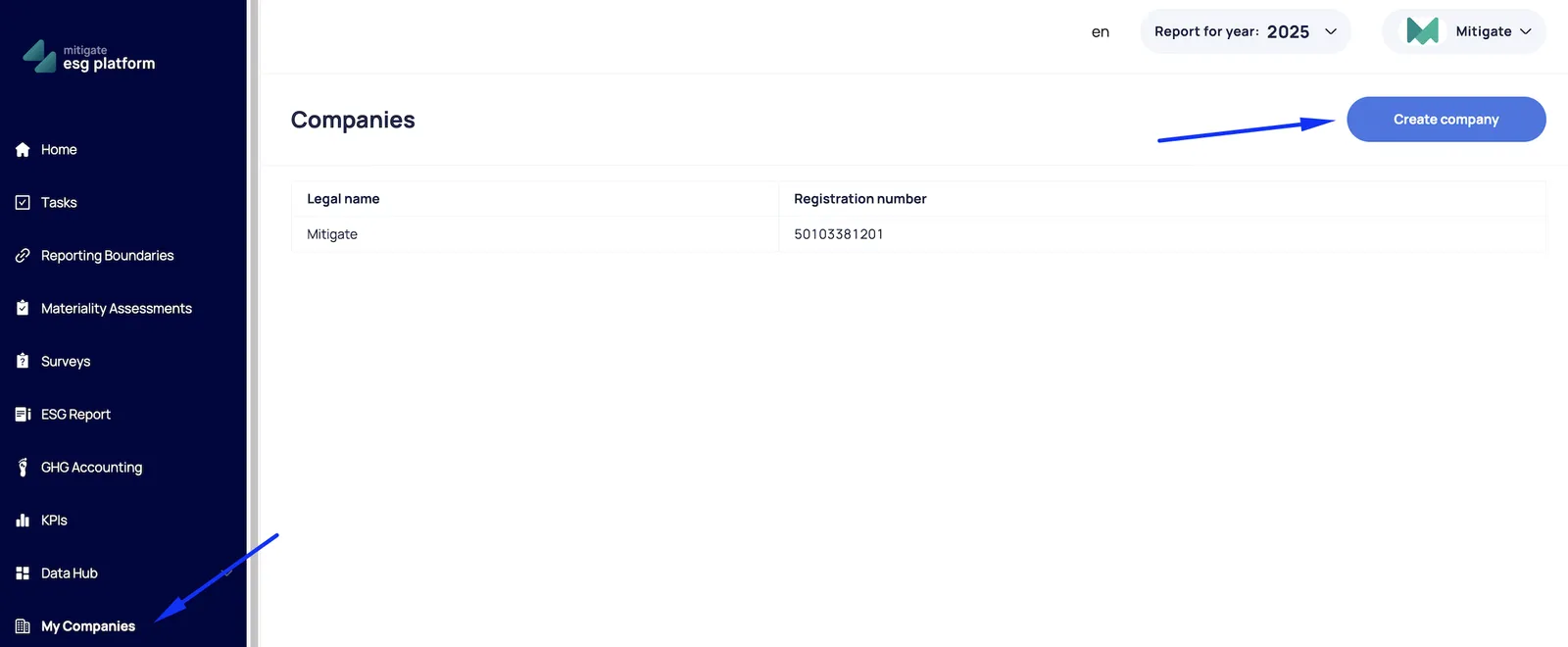
Limitations:
- Only root account can generate reports and use advanced features
- Other companies (subsidiaries) can use all features and generate reports if they acquire the licence.
Adding users to subsidiaries
Section titled “Adding users to subsidiaries”To invite a new member to a subsidiary company:
- Switch (1) to the desired company account;
- Go to “Members” section
- Select “Invite new member“
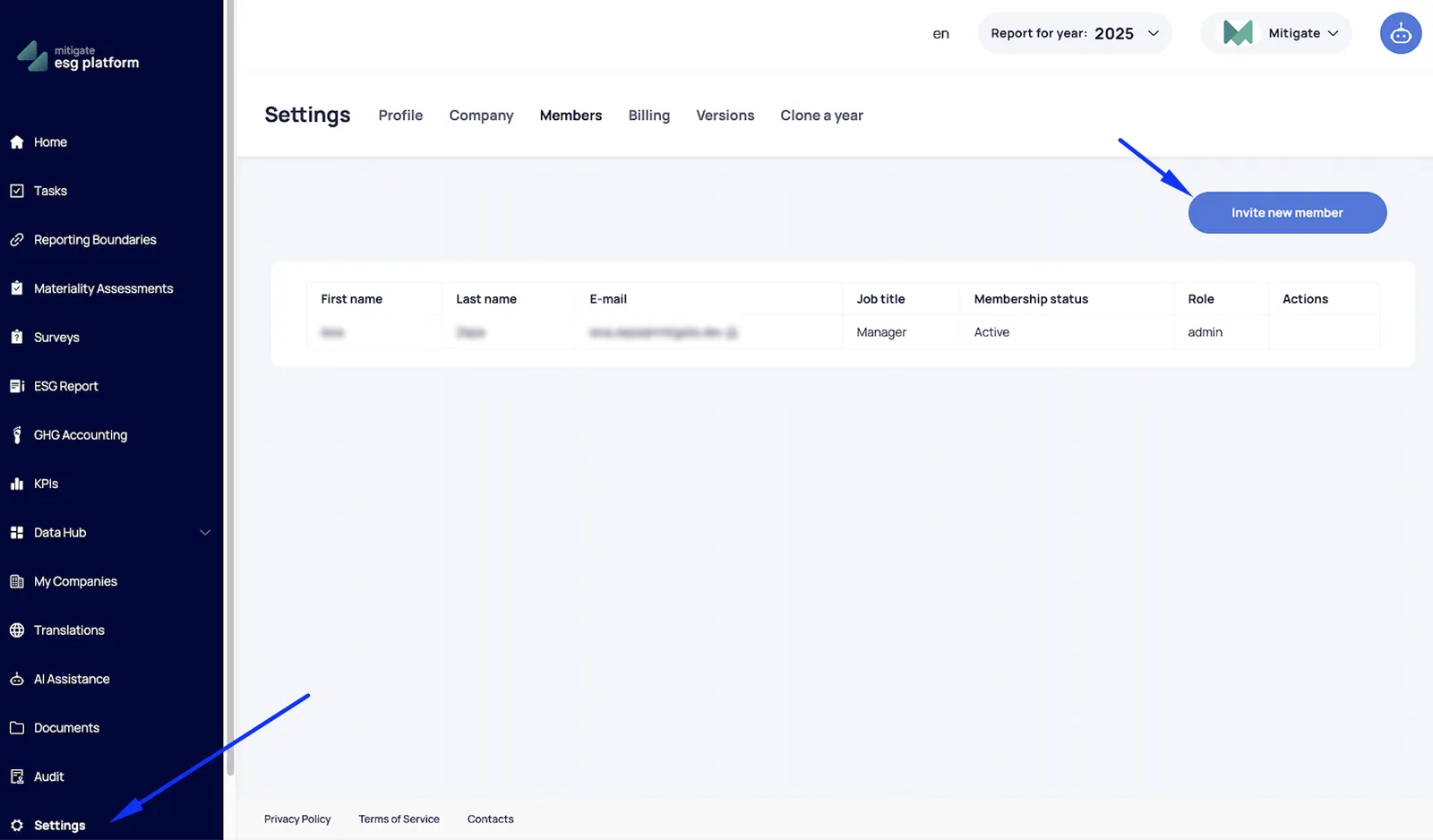
The member will receive an invitation email with instructions.