Surveys Configuration
You can change the configuration for each topic here:
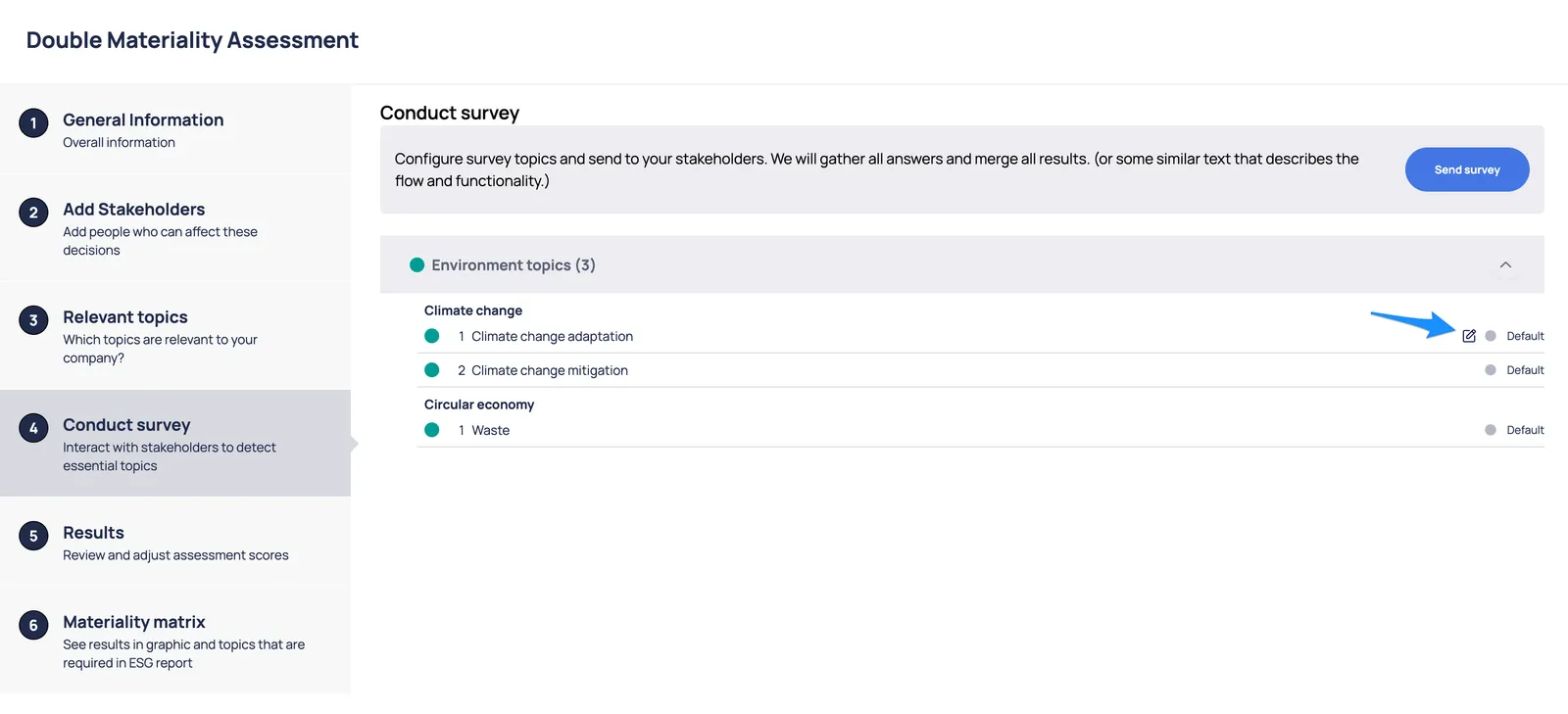
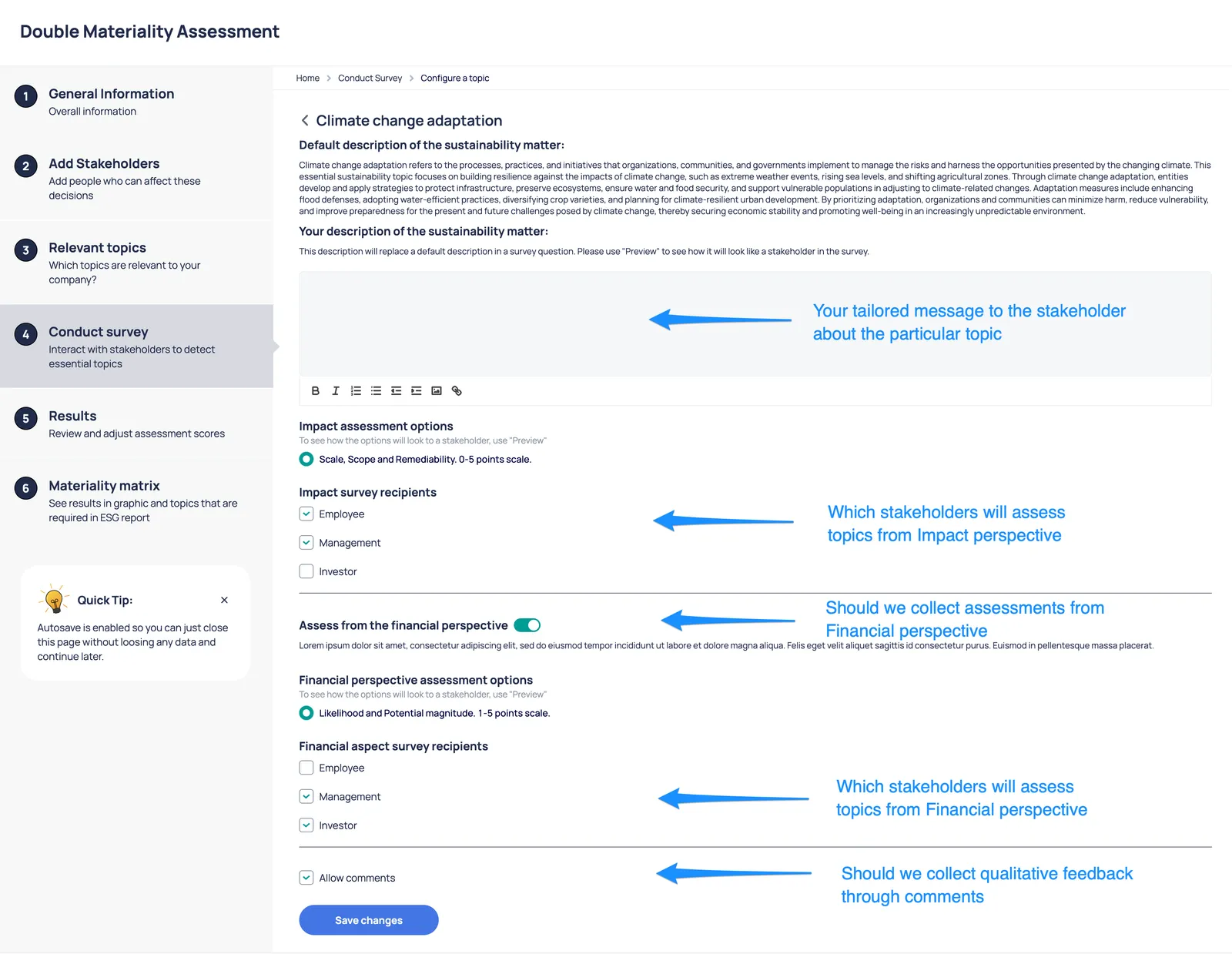
The description is the place where you can define and describe your context and tell what it’ s all about. The context should provide a good understanding for a stakeholder, about what the particular topic means for your company. You can even include additional insights to give a stakeholder a better view about the topic and the company.
Additionally you should select which stakeholder groups should assess the topic in received survey.
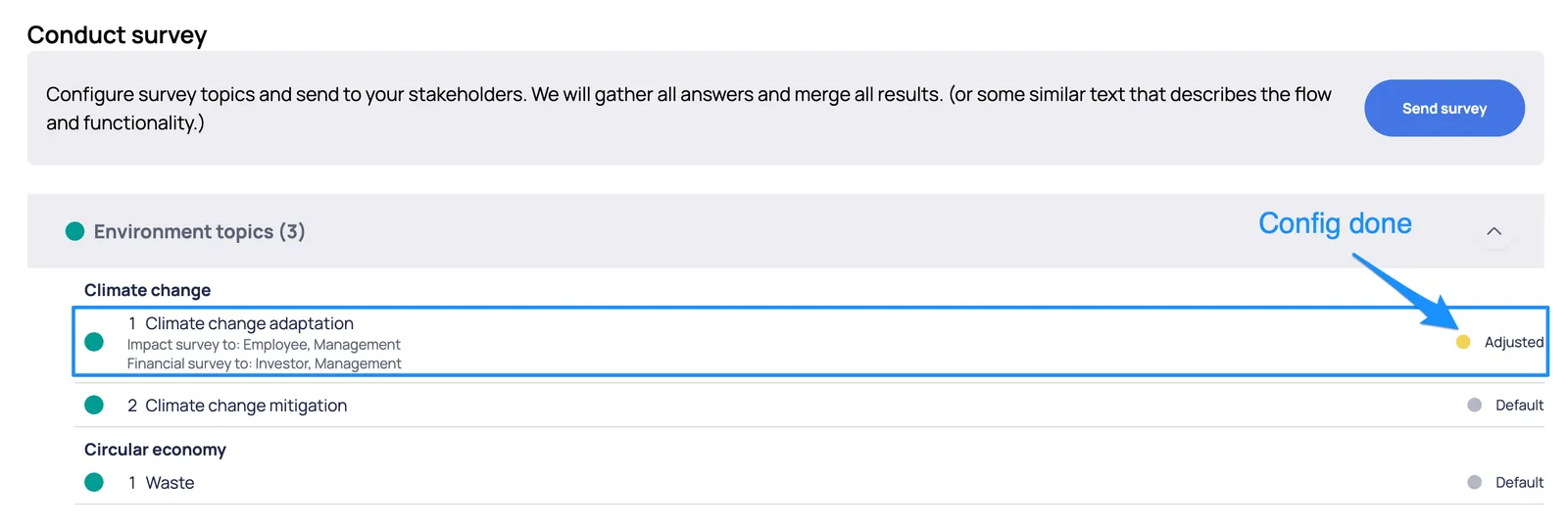
When configuration is done, you can see the Adjusted/Configured topics in the lists with appropriate flag.
Send out surveys
Section titled “Send out surveys”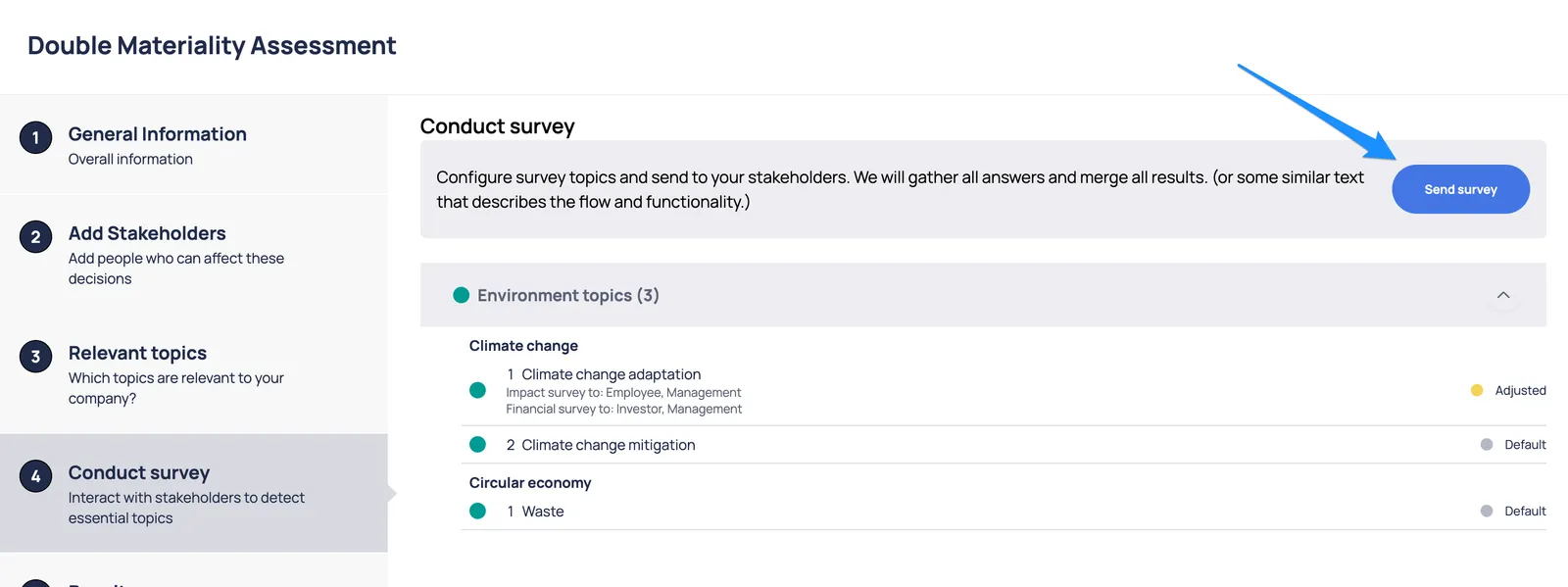
After the “Send survey“ each stakeholder will receive an email notification.